Design system || WEP App || ux || uI || gENai
COMPANY
Saturn
ROLE
UX/UI Designer
Skills & Tools
Product Thinking
Visual Design
User Research
Radix UI
Tools
Figma
FigJam, Miro, Adobe Illustrator,
AR/VR prototyping
YEAR
2024-2025
About Proect
GenAI-Powered & AR/VR Learning Platform for Energy Sector Professionals
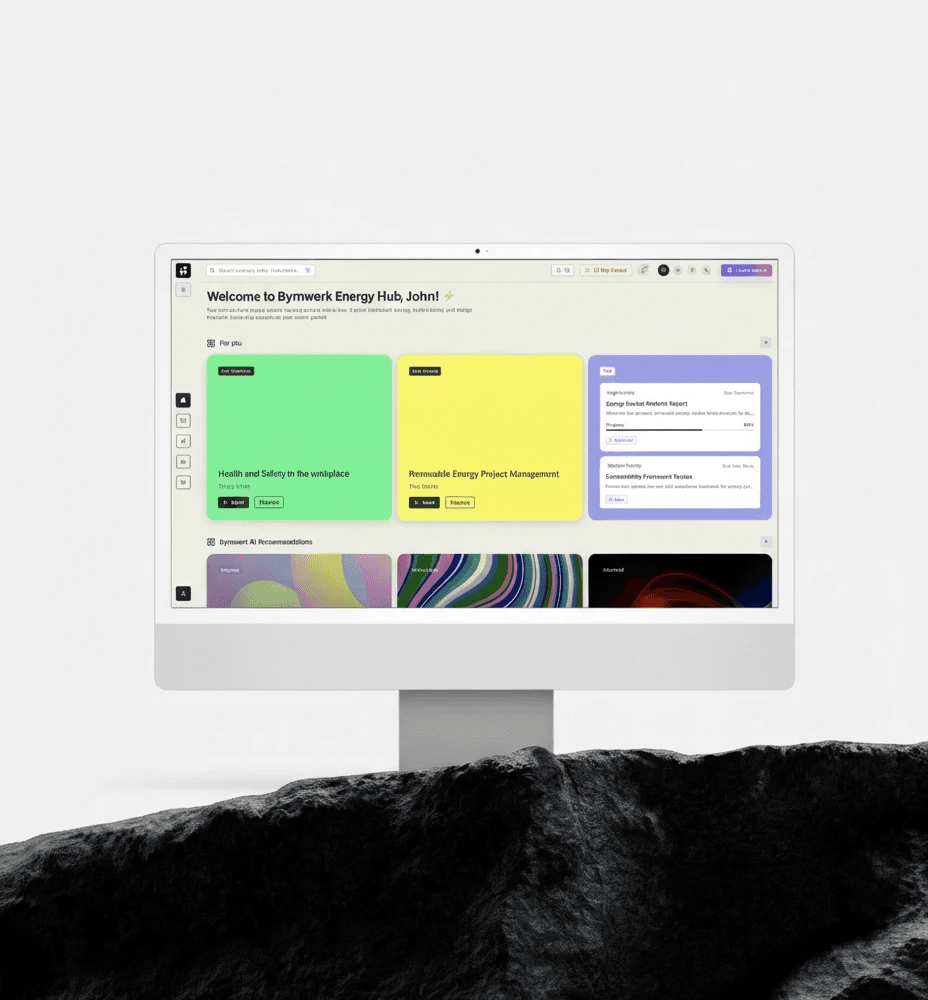
At Bayernwerk, teams managing critical infrastructure need fast, reliable insights to ensure safety and efficiency.— but most existing LMS platforms feel outdated, generic, and overwhelming. The goal of this project was to explore how GenAI and AR/VR could enhance user understanding, decision-making, and operational workflows, while maintaining strict safety and usability standards.
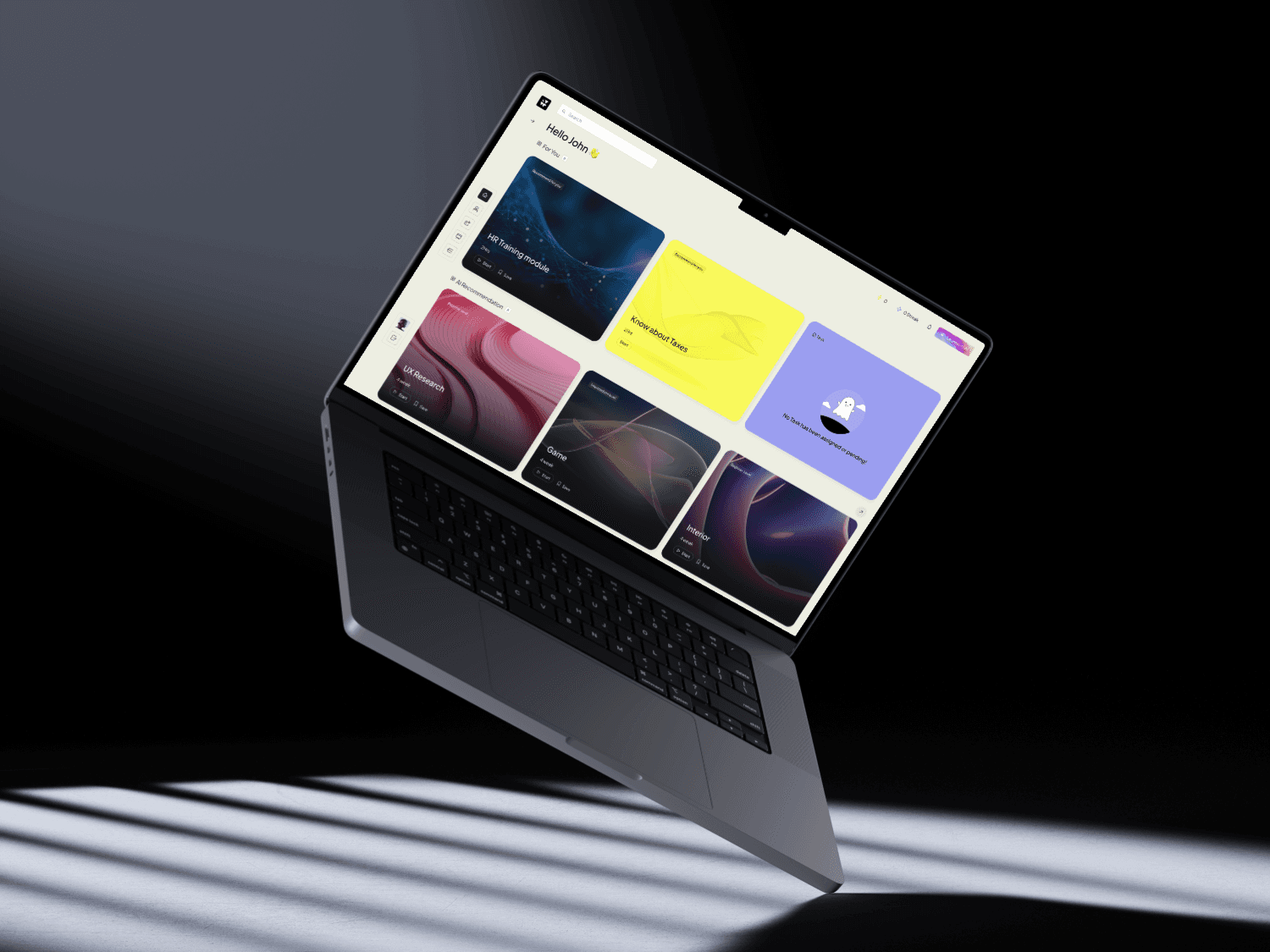
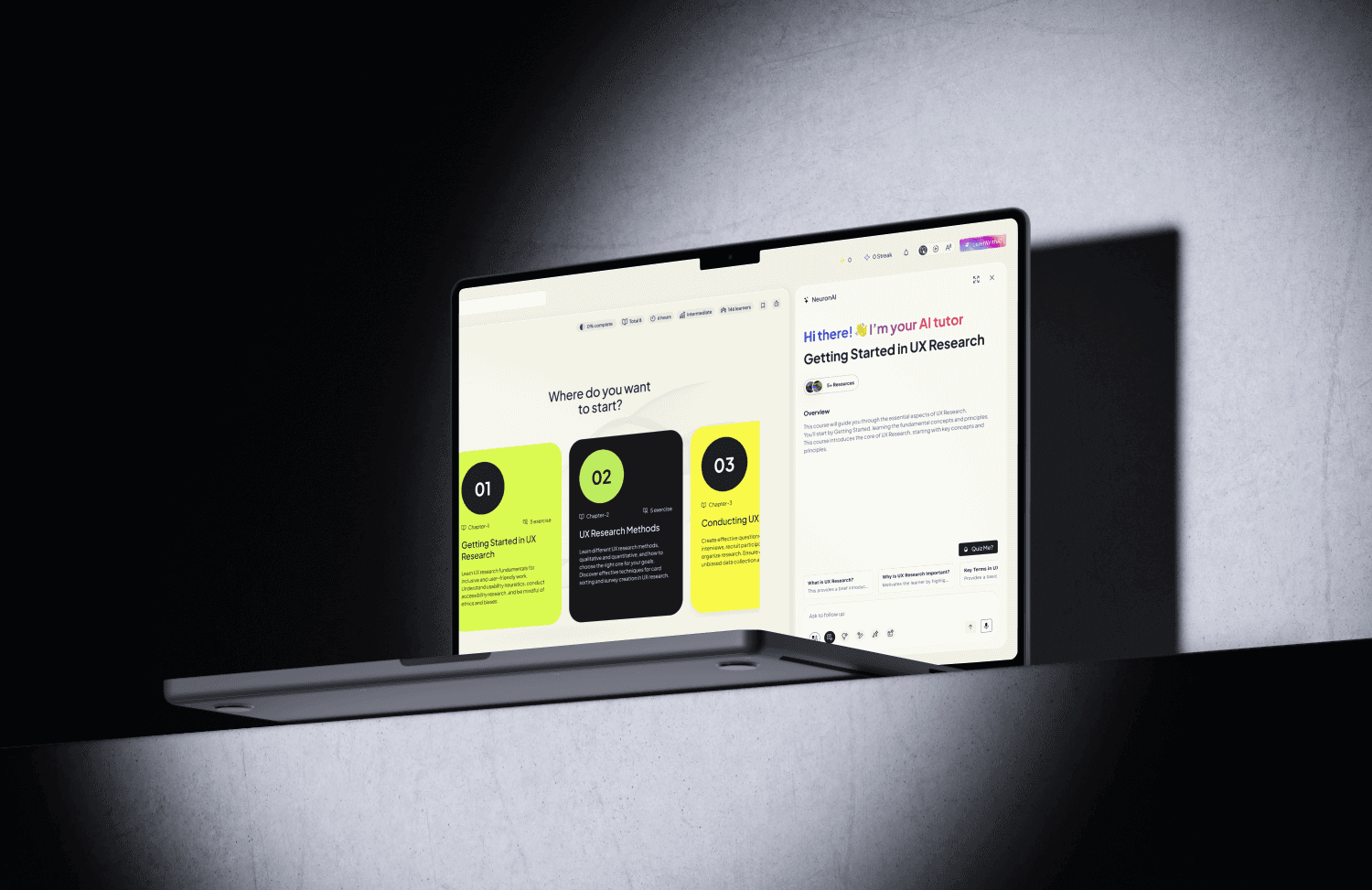
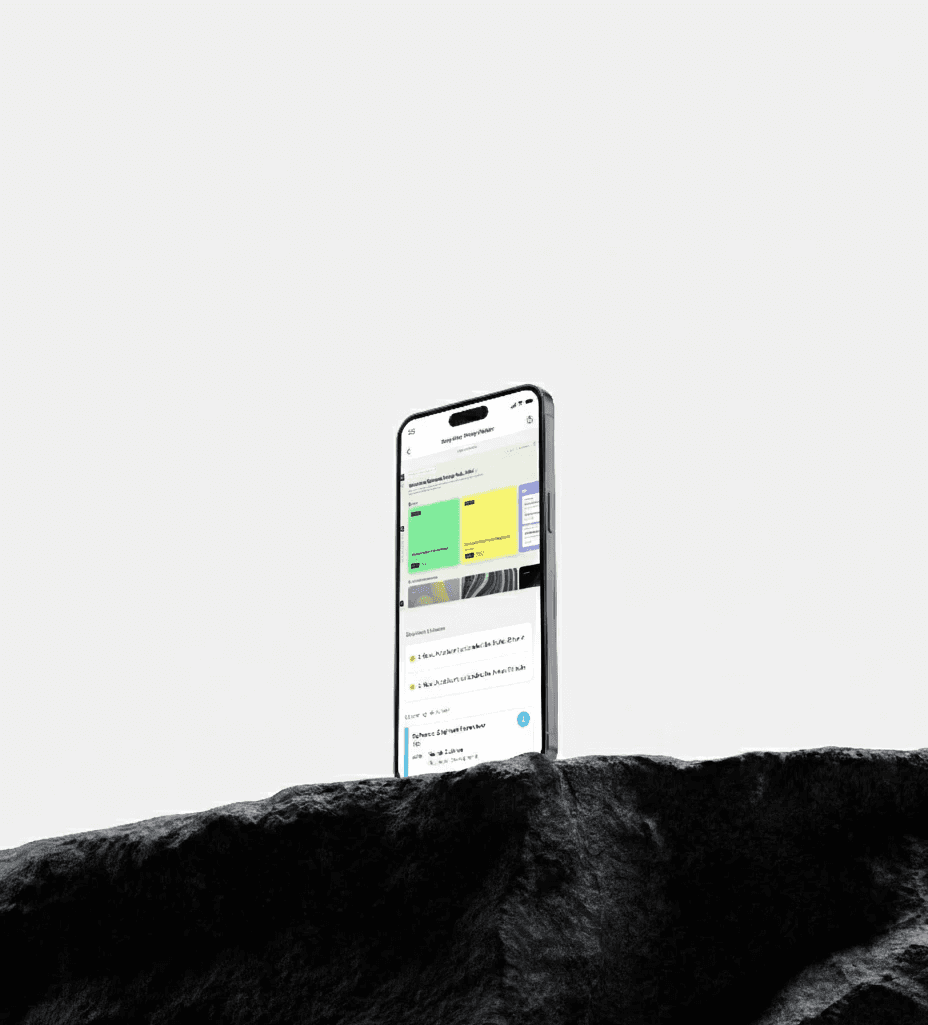
The platform leverages AI-driven recommendations and immersive AR/VR visualizations to help users interact with complex data intuitively, improving situational awareness and operational efficiency.Our goal was to reimagine corporate learning using GenAI and multimodal content, making it more personal, flexible, and motivating.I worked as the UX Designer, shaping the end-to-end learning experience: dashboards, courses, adaptive paths, AI interaction flows, and multimodal learning modes (Read/Watch/Listen).
Challanges
What was the problem?
Employees in the energy sector struggle with traditional LMS platforms because:We needed a Human-centered AI UX solution that guides learners, respects their attention, and makes learning engaging through adaptive pathways and immersive AR/VR experiences.
Learners engage with digital platforms in diverse ways, but most systems treat them the same. This one-size-fits-all approach leads to low motivation, poor retention, and missed learning outcomes. We aim to solve this by designing an adaptive AI-powered learning environment that responds in real-time to each learner’s needs, style, and behavior — while ensuring it’s inclusive, accessible, and effective.
Key Challanges
Low motivation & engagement
Employees often skip learning because the LMS feels like a filing system, not a personalized journey
Learning journeys lack continuity
Workers move from dashboard → courses → tasks → assessments → certification with no unified AI assistance or personalization.
Self-paced learning results in low completion rates
Employees lose motivation when they don’t receive support, explanations, reminders, or context.
Employees juggle too many tabs and tools
Learning tasks, mentorship, certifications, and progress tracking are scattered across multiple screens and apps.
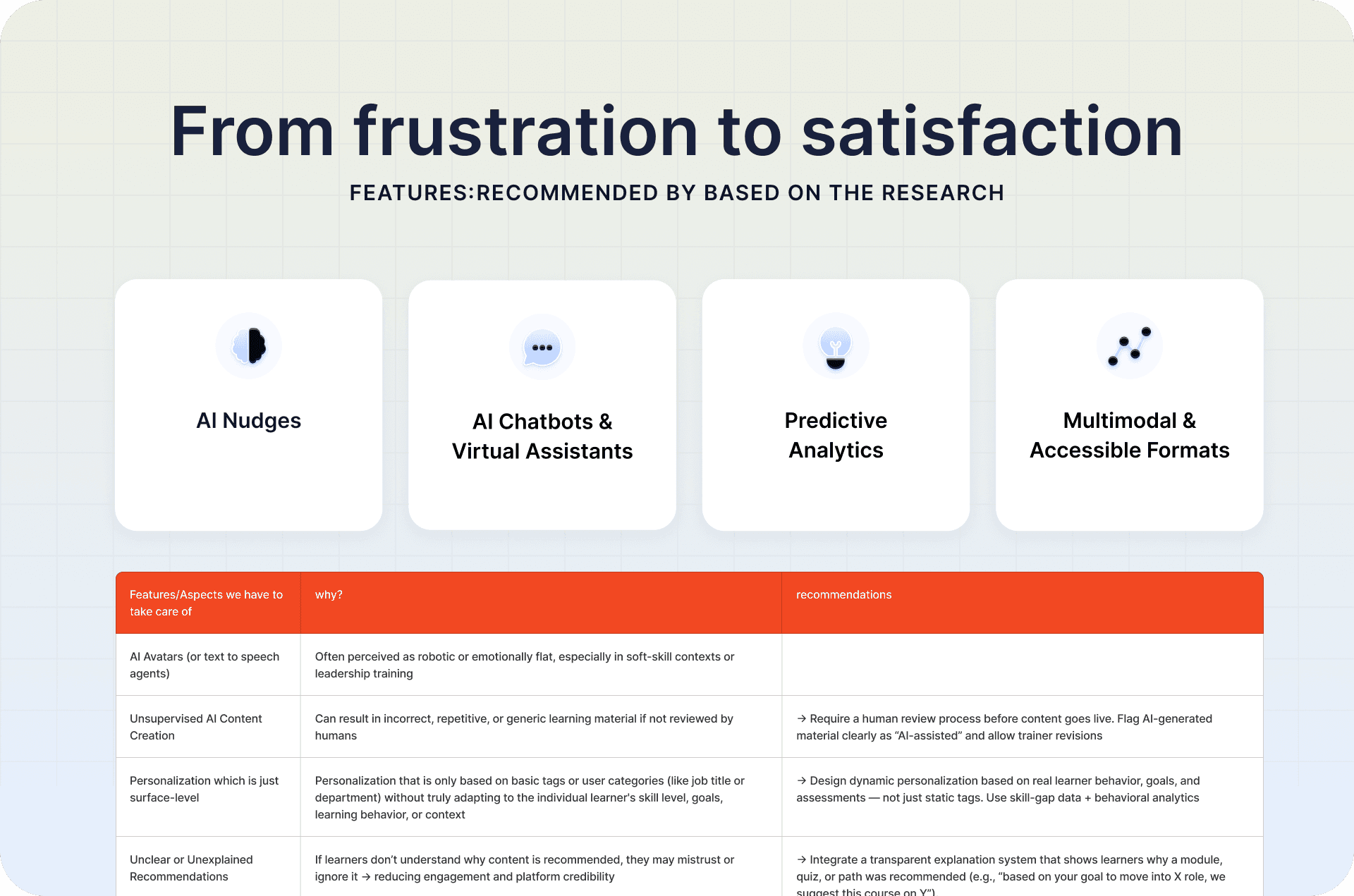
AI features in current systems feel gimmicky or unclear
Managers lack employee progress visibility
Tracking real growth requires spreadsheets, manual reports, or external tools.
Objective was?
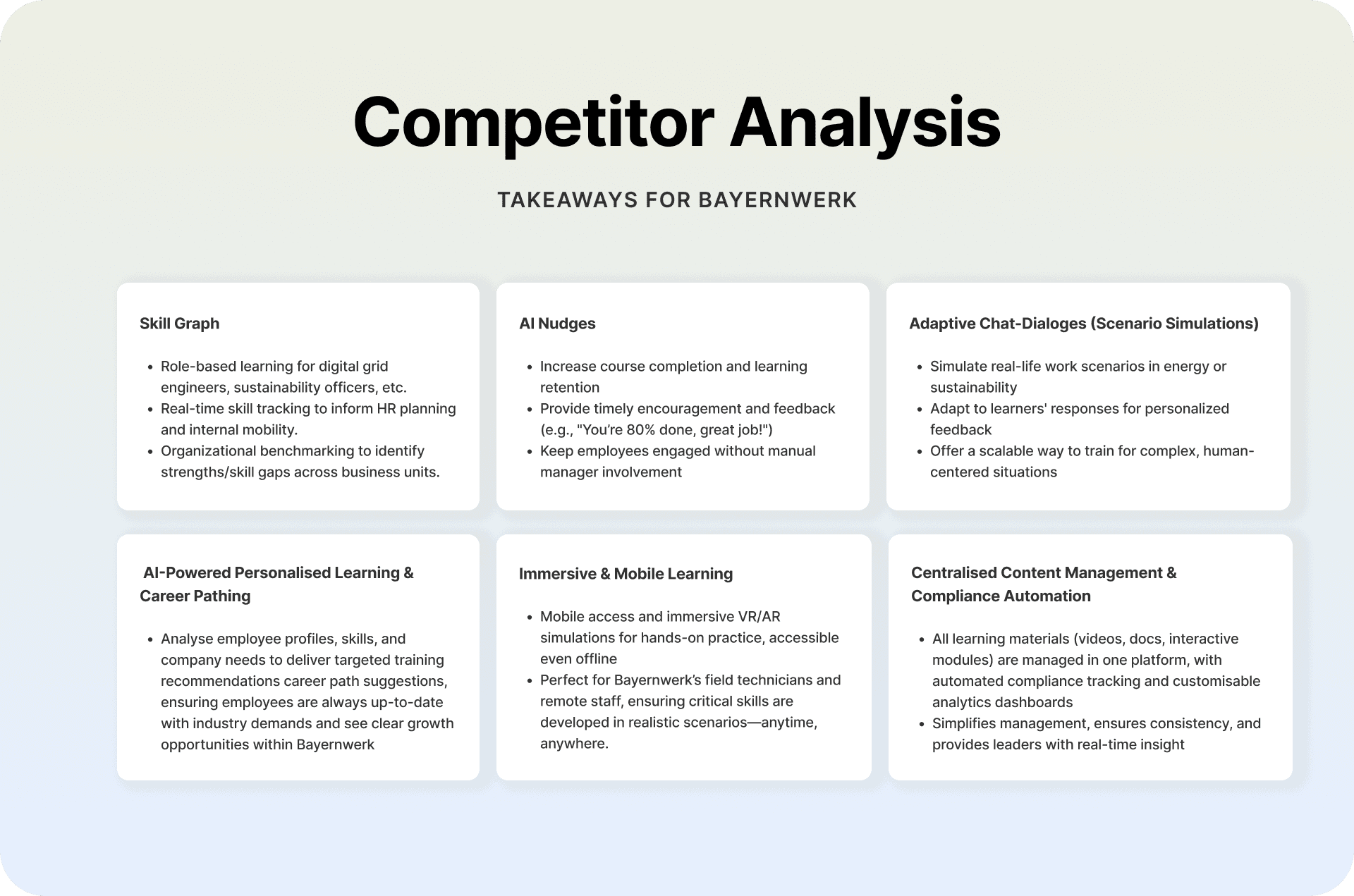
AI-Powered Personalised Learning & Career Pathing
Analyse employee profiles, skills, and company needs to deliver targeted training recommendations career path suggestions, ensuring employees are always up-to-date with industry demands and see clear growth opportunities within Bayernwerk
Skill Graph
Role-based learning for digital grid engineers, sustainability officers, etc.
Real-time skill tracking to inform HR planning and internal mobility.
Organizational benchmarking to identify strengths/skill gaps across business units.
AI Nudges
Increase course completion and learning retention
Provide timely encouragement and feedback (e.g., "You’re 80% done, great job!")
Keep employees engaged without manual manager involvement
Adaptive Chat-Dialoges (Scenario Simulations)
Simulate real-life work scenarios in energy or sustainability
Adapt to learners' responses for personalized feedback
Offer a scalable way to train for complex, human-centered situations
Immersive & Mobile Learning
Mobile access and immersive VR/AR simulations for hands-on practice, accessible even offline
Perfect for Bayernwerk’s field technicians and remote staff, ensuring critical skills are developed in realistic scenarios—anytime, anywhere.
Centralised Content Management & Compliance Automation
All learning materials (videos, docs, interactive modules) are managed in one platform, with automated compliance tracking and customisable analytics dashboards
Simplifies management, ensures consistency, and provides leaders with real-time insight
My role
I became the bridge between our learners, the product vision, and the possibilities of AI. I guided the UX process from the very first interview to the final developer-ready files, shaping everything from the information architecture to the smallest card component. Designing the AI features was a journey in itself—translating real learner frustrations into meaningful intelligence like recaps, nudges, and personalized pathways. I ran usability tests, learned from real feedback, and iterated again and again. Working closely with our data scientist, I helped turn complex recommendation logic into something simple and human for people to use. By the end, I delivered a complete system that felt not just functional, but genuinely supportive to learners.
Created AR/VR prototypes for experiential learning modules, allowing learners to visualize concepts in 3D.
Designed AI features that translate learner frustrations into recaps, nudges, and personalized learning pathways.
Ran usability tests and iterated designs based on real feedback.
Collaborated with data scientists to transform complex recommendation logic into simple, human-friendly interactions.
Design Process (03): NUI-GenAI LMS
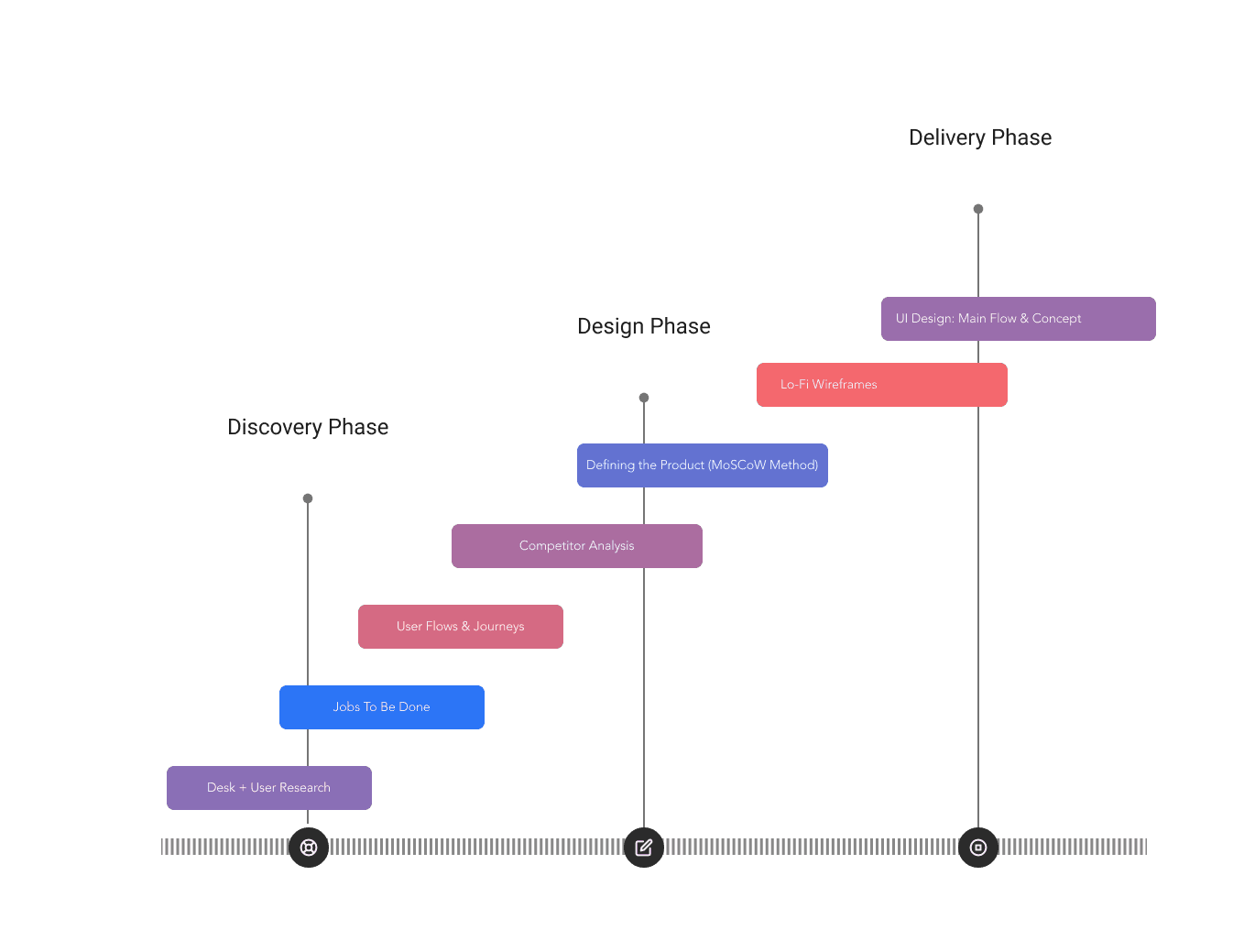
Following the design process doesn't just create an intuitive and safe user experience — it provides a structured path for continuous improvement, clinical validation, and agile iteration.The project was structured across three phases: Discovery, Design, and Delivery, tailored to the needs of surgical teams and health tech stakeholders.
Research
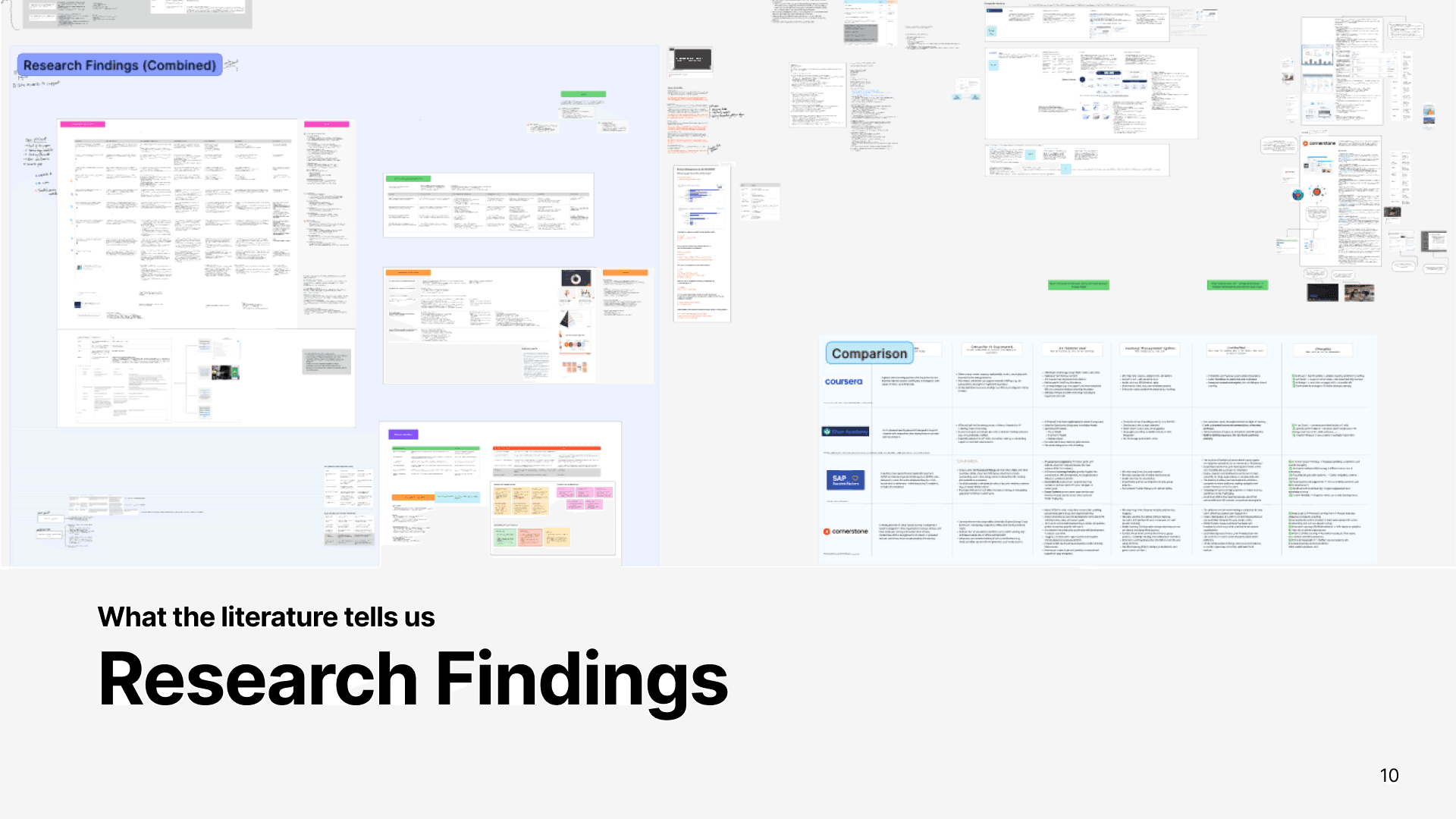
To enhance Entomo's performance management platform, I conducted comprehensive user research focusing on understanding user behaviors, needs, and pain points. The research methodology included:
Stakeholder Interviews
14 user interviews (corporate employees & new joiners)2 expert interviews (L&D managers)
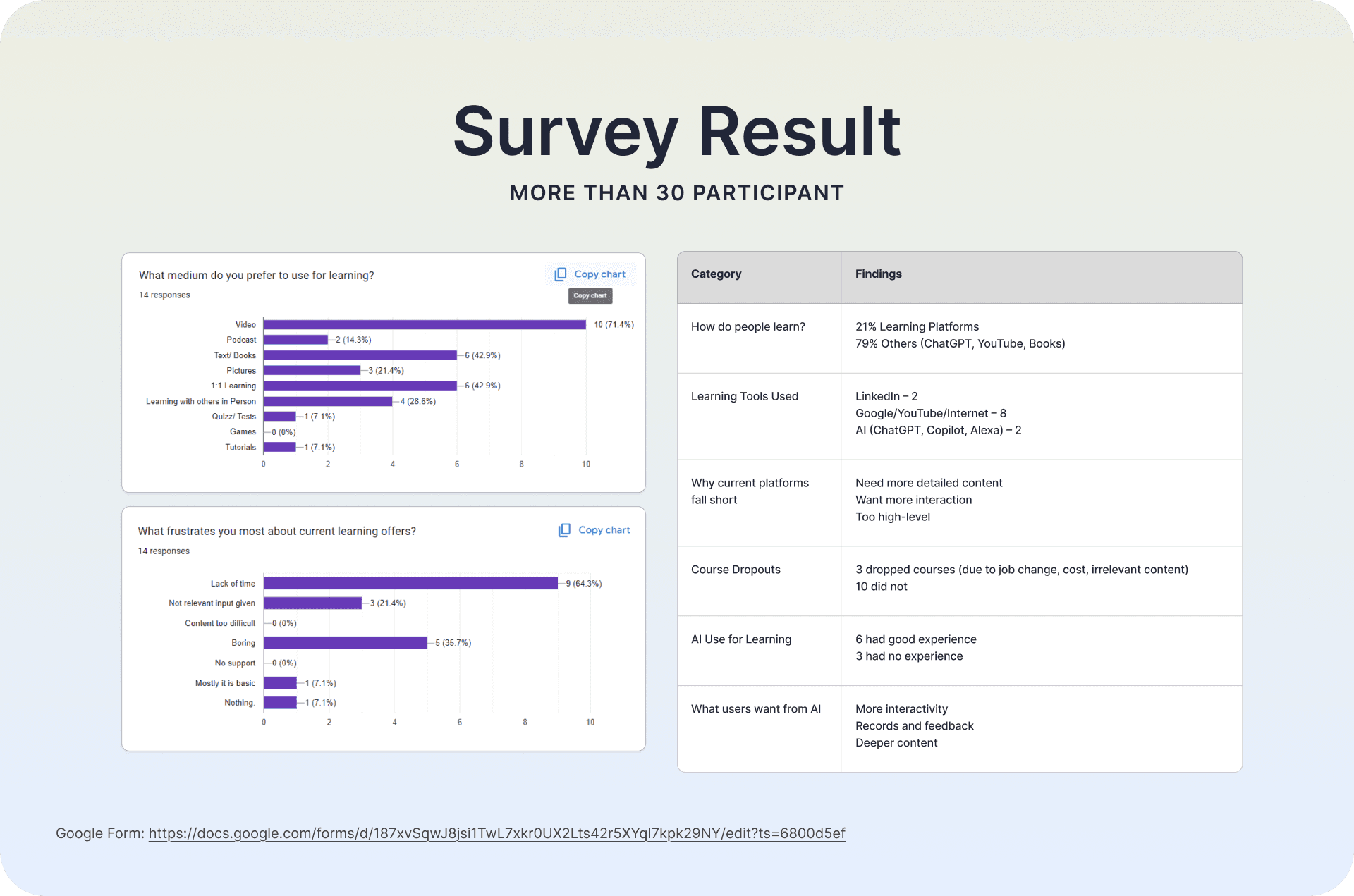
User Surveys
Distributed structured questionnaires to a diverse user base to collect quantitative data on user satisfaction, feature utilization, and areas requiring improvement.
Contextual Inquiries:
Observed users interacting with the platform in their work environment to identify usability issues and understand the context of use.
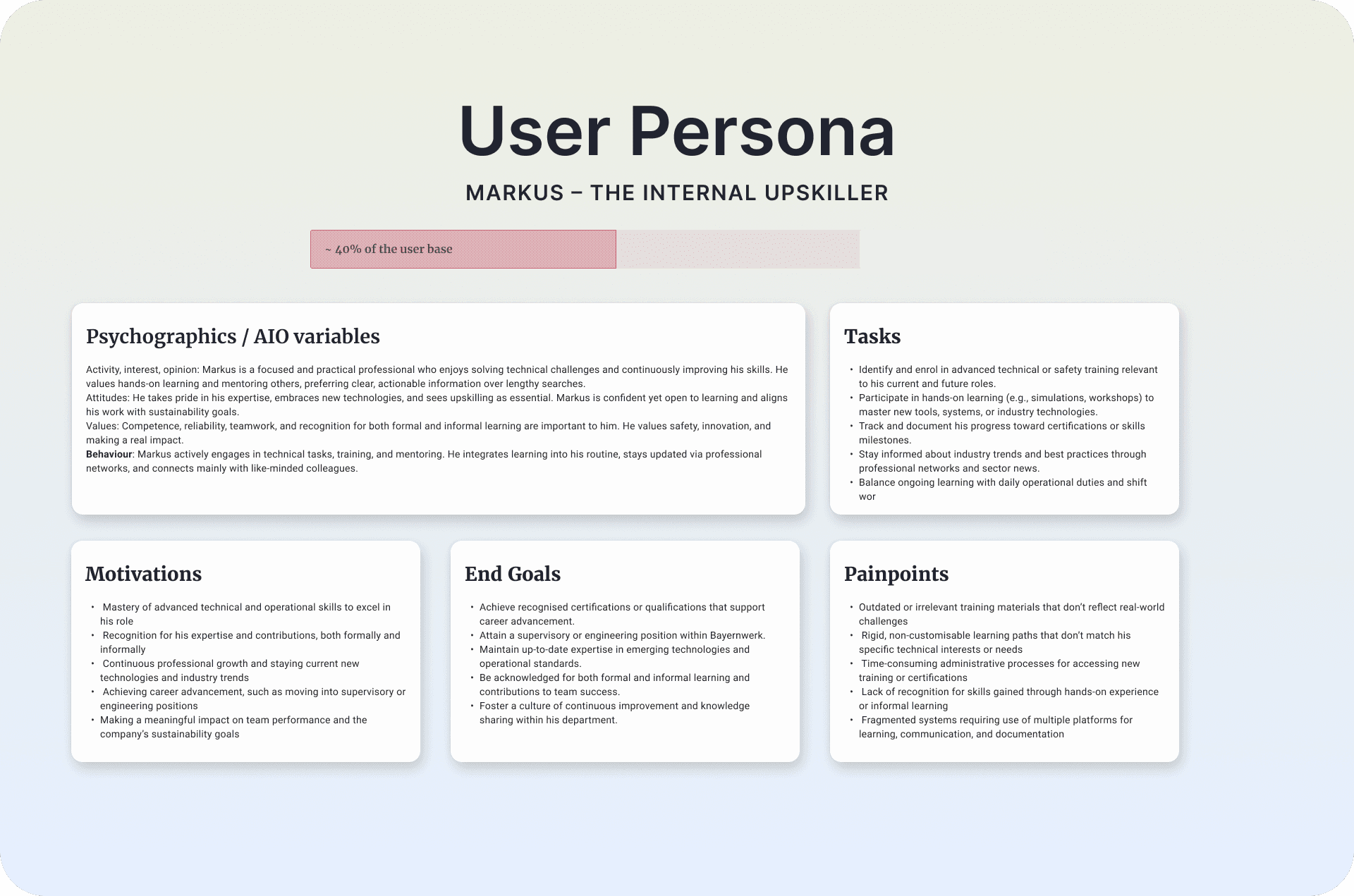
Persona Development
Created detailed user personas representing various user types to guide design decisions and ensure alignment with user needs.
Task Analysis
Analyzed key tasks performed on the platform to identify bottlenecks and opportunities for streamlining workflows.
Usability Testing
Conducted usability tests with both existing and new users to evaluate the platform's ease of use, efficiency, and overall user satisfaction.
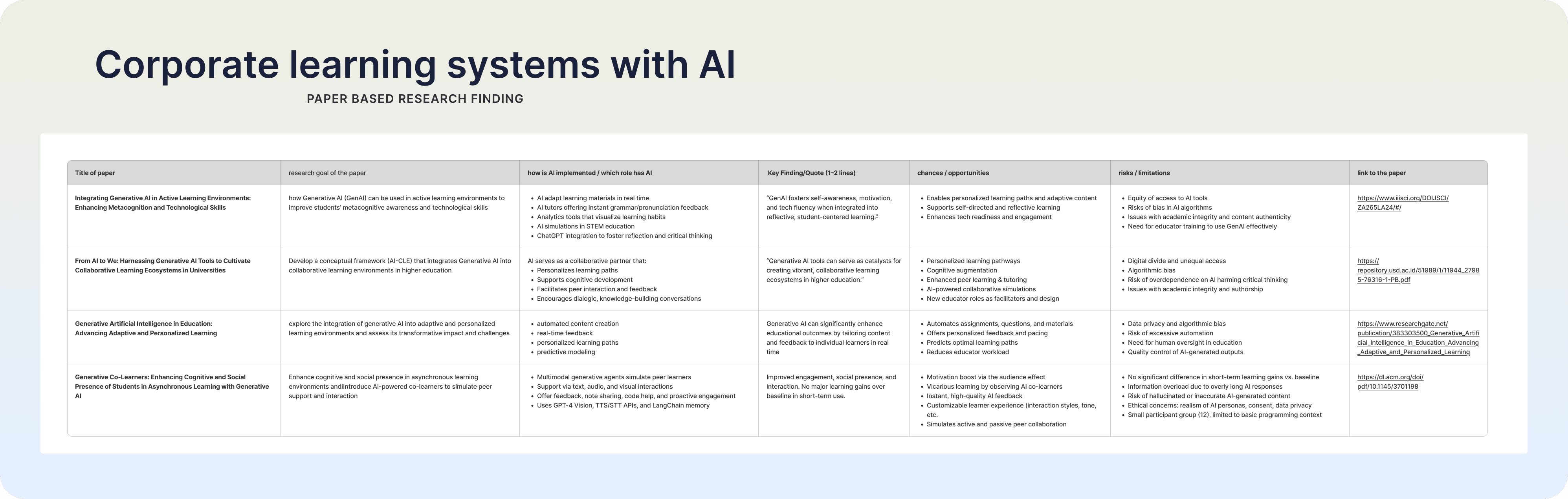
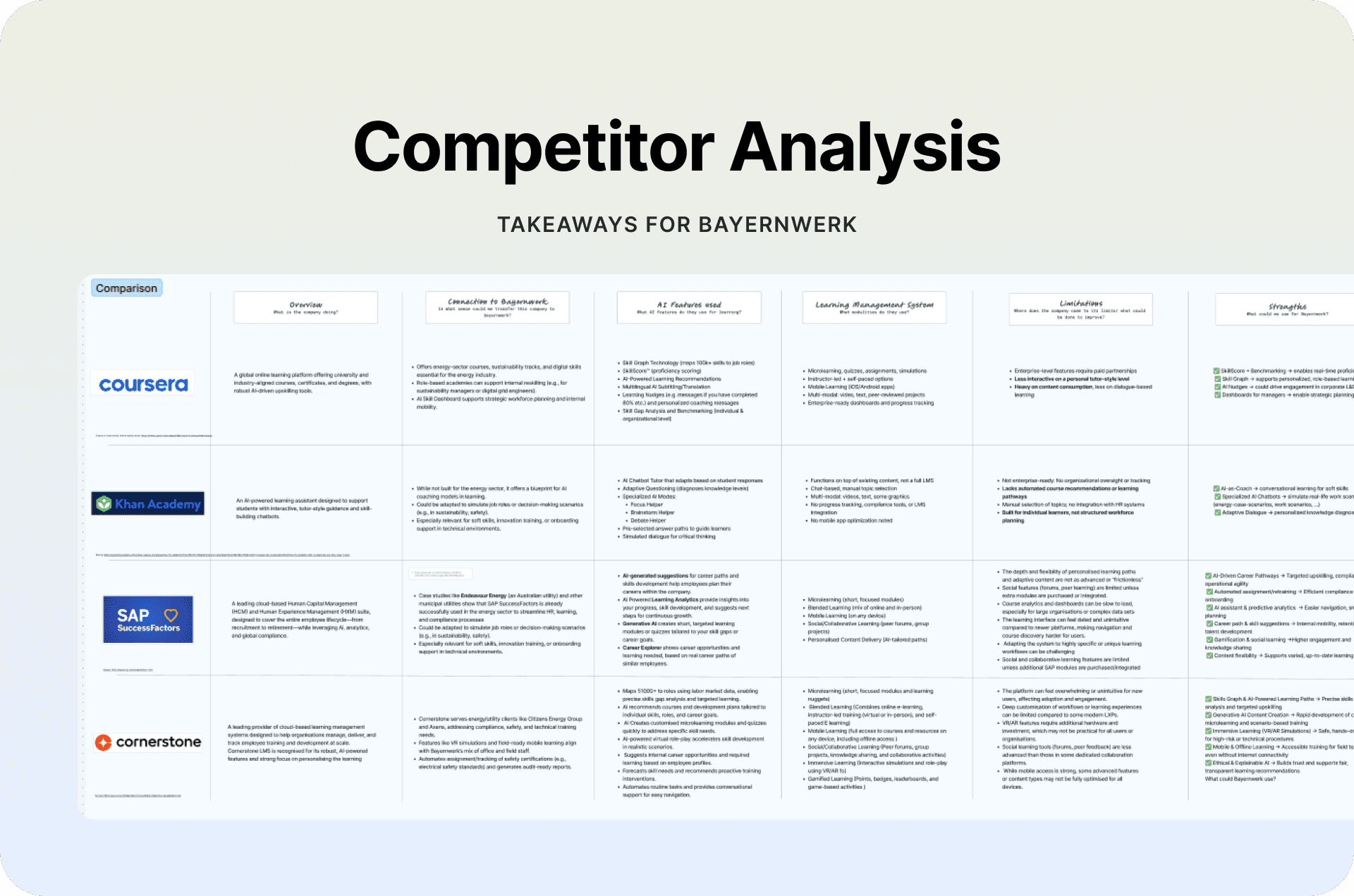
Competitive analysis
of AI-powered platforms
Conducted CA for the top LMS portal which have the AI features as well as other Non AI LMS Portal
Task Analysis
Analyzed key tasks performed on the platform to identify bottlenecks and opportunities for streamlining workflows.

Research
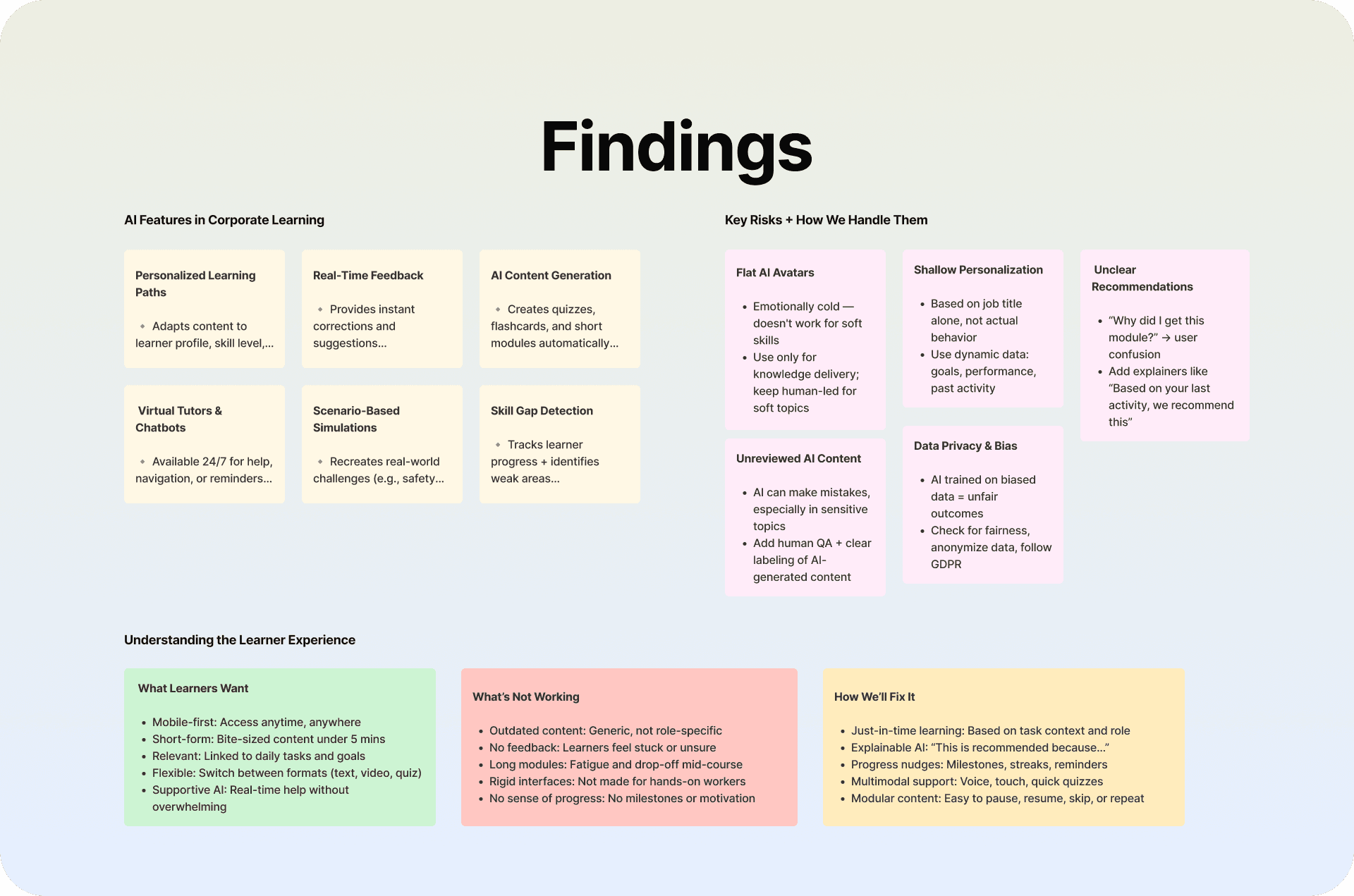
Key Insights
Desire for Personalisation & Support
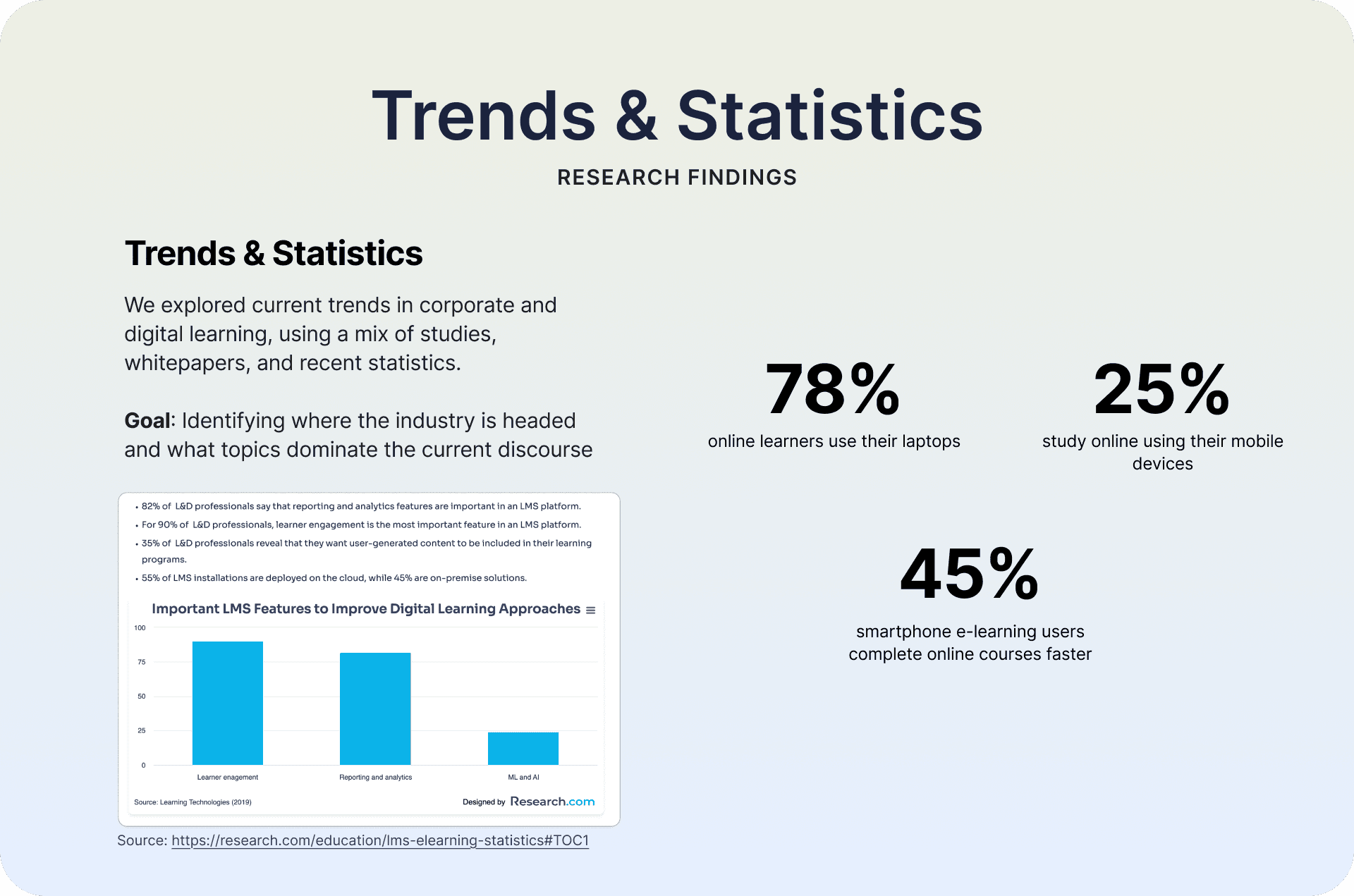
More than 58% of users wanted learning that adapts to their role, pace, and knowledge level.
Finding: There is high demand for adaptive learning paths supported by trustworthy GenAI features.
User of Byrenwerk Existing LMS Portal

HR & Learning & Development (L&D) Teams
Role:
Manage employee training programs, assign mandatory courses, track certifications, and ensure compliance (especially in energy-sector safety).
Why they matter:
They decide what training employees need and rely on the platform to deliver insights, analytics, and certifications.
Team Leaders & Managers
Role:
Monitor their team’s skills, learning progress, time spent in training, expiring certifications, and recommend future courses.Why they matter:
They depend on AI dashboards to make decisions, plan workforce development, and maintain safety/compliance readiness.
Employees / Learners (Technical Staff, Engineers, Office Staff)
Role:
Use the platform daily to complete training, follow adaptive learning paths, take quizzes, and use AI tools like summaries, podcasts, and nudges.Why they matter:
They are the primary end-users whose experience defines the success of the entire system.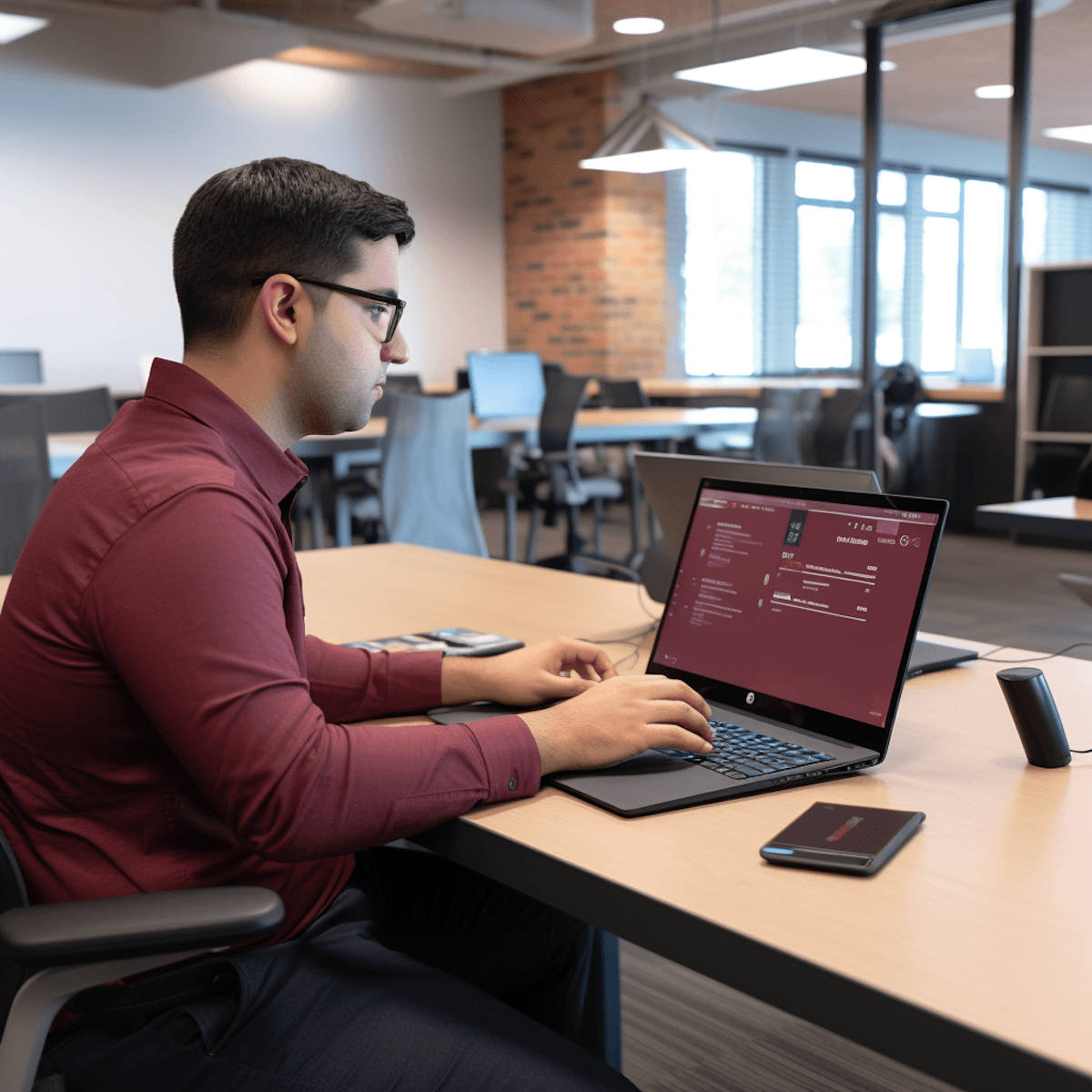
System Administrators / Training Admins (Optional but realistic)
Role:
Monitor their team’s skills, learning progress, time spent in training, expiring certifications, and recommend future courses.Why they matter:
They depend on AI dashboards to make decisions, plan workforce development, and maintain safety/compliance readiness.
Ideation & Feature Prioritization
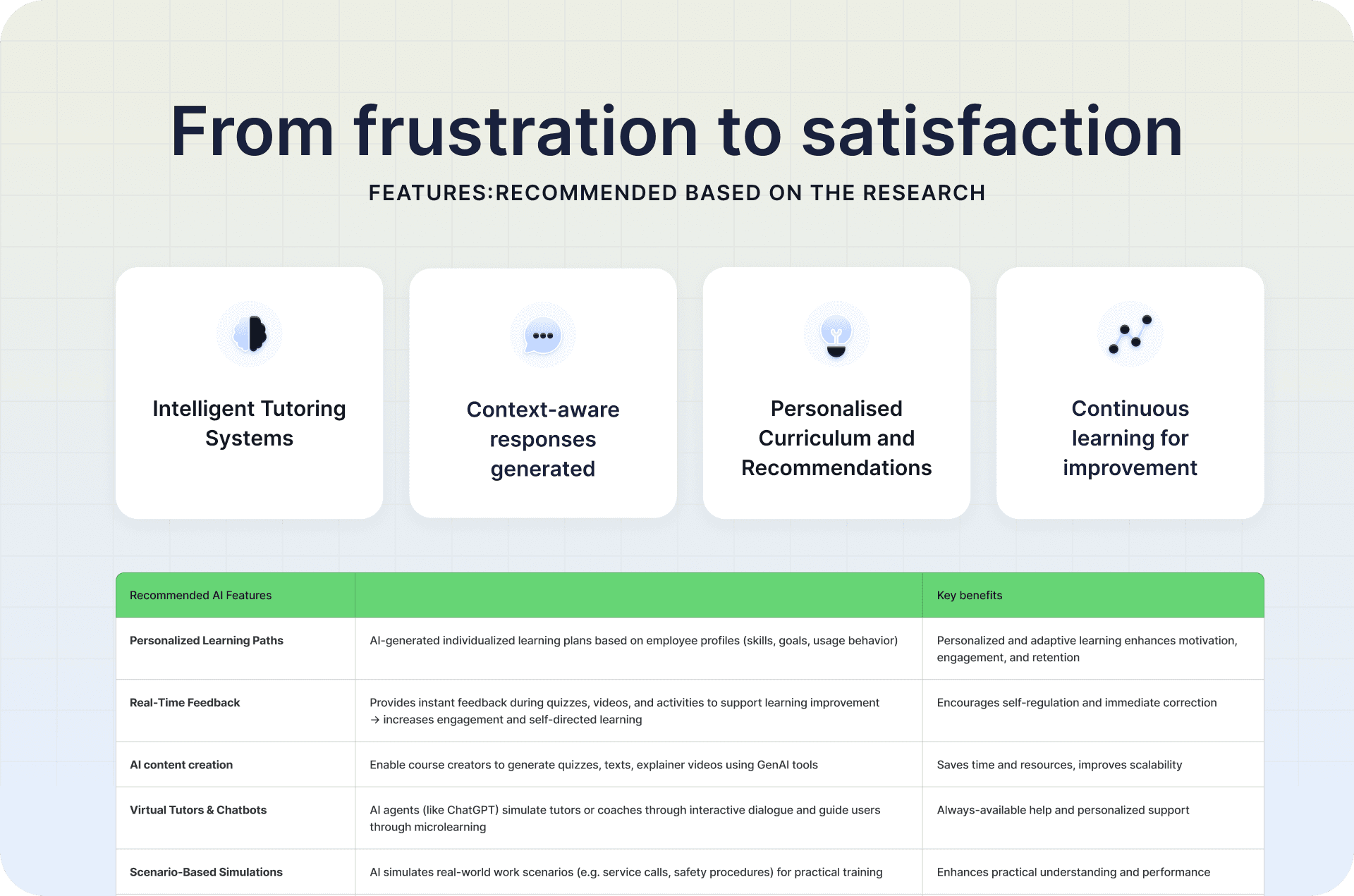
Through analysis of user behavior, stakeholder interviews, and workflow mapping, we uncovered a major opportunity: the current LMS experience is fragmented, generic, and heavily manual.
AI could transform the experience into a personalized, efficient, and skill-driven learning ecosystem.
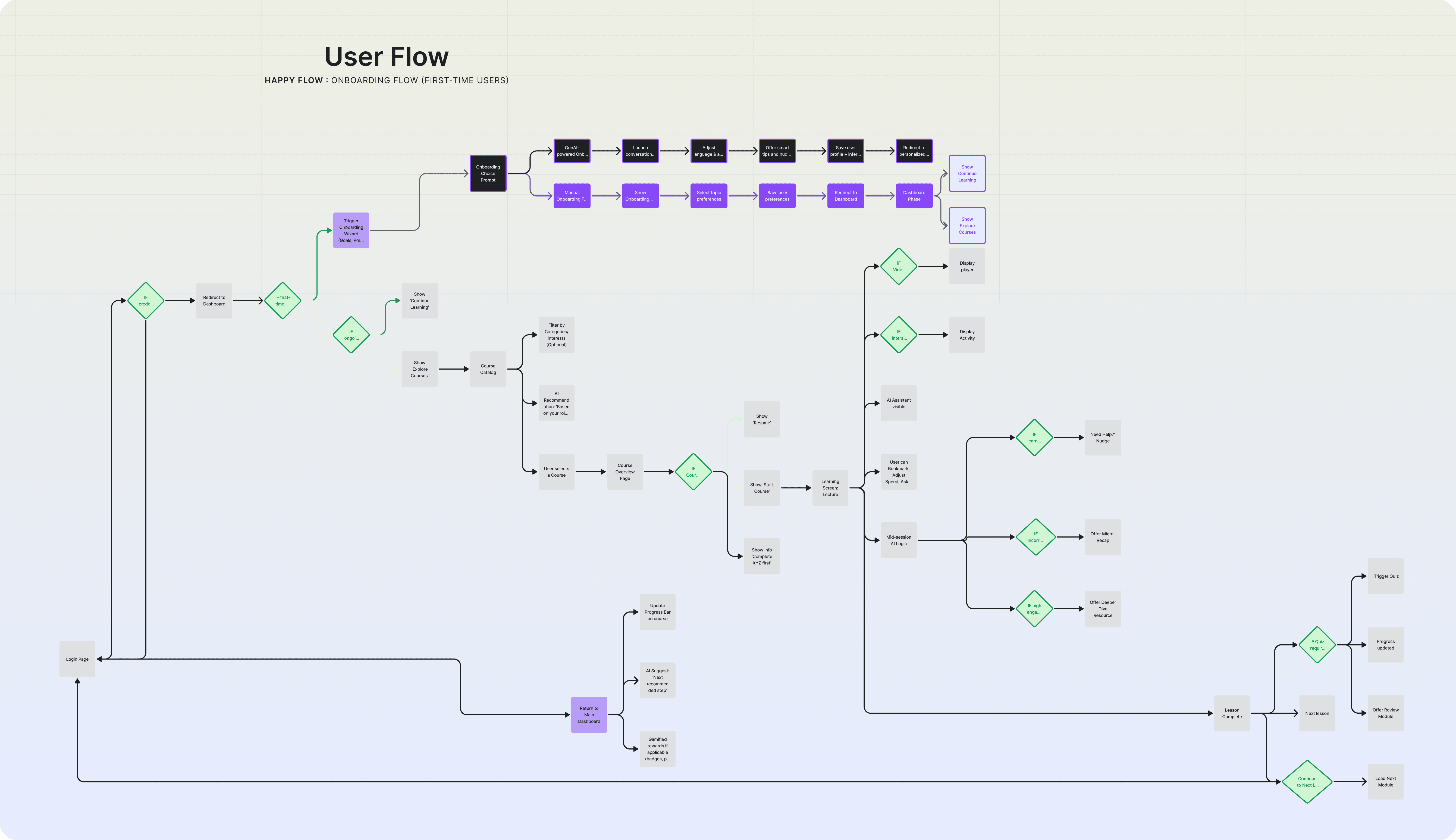
Below is the 8-stage AI-enhanced user flow that emerged from our discovery insights.
01 — Intelligent Login & Role-Based Onboarding
We found that employees often spend 10–15 minutes figuring out where to begin after login.
AI can instantly personalize the experience by:Identifying user role & training history
Inferring competency gaps
Auto-generating a tailored dashboard (mandatory courses + next steps)
02 — Smart Recommendations & Career Pathing
Users reported difficulty understanding which courses truly matter for their job.
AI enables:Mandatory course mapping (e.g., B-Basis)
Personalized skill-based upskilling paths (incl. AR/VR safety training)
Future career path suggestions with LMS → THI program linking
Nudges to keep learning on track
This turned an overwhelming catalog into a guided journey.
03 — AI-Powered Course Discovery
40% of users said “I can’t find the right course even if I know the name.”
To address this, we integrated:AI semantic search (“Find refresher for SAP”)
Skill-Graph–based recommendations
Clearer tile design with dates, tags, and competency indicators
This will dramatically reduced time-to-find.
04 — Modern Technical Training (Blended Learning + AR/VR)
Technical staff need hands-on learning, but LMS content is often abstract.
We discovered strong value in:AI-tailored theory modules (WBT)
Certification-aware learning paths
AR/VR-based safety scenarios & fault diagnostics
05 — In-Session AI Support
Learners frequently pause sessions to “Google” technical terms.
AI improves in-session flow with:Conversational tutor for definitions, explanations
Real-time quiz feedback
Scenario-based dialog simulations for communication or maintenance tasks
07 — Manager Tools & Admin Automation
Managers expressed challenges in tracking team skills.
AI solves this with:Skill dashboards
Certification risk alerts
Course recommendations per team needs
Auto-tagging of new content
This will increases efficiency and compliance accuracy.
06 — Post-Session Engagement
Users often drop off after completing a single course.
AI helps sustain learning momentum through:Nudges (“You’re 80% done!”)
Personalized next-step recommendations
Optional gamification (badges, leaderboards, flashcards)
08 — Continuous Improvement Loop
AI sentiment analysis and engagement data highlight:
Underperforming modules
Redundant courses
Unmet training needs
This will creates a feedback ecosystem where the LMS continuously learns and improves.
Wireframes
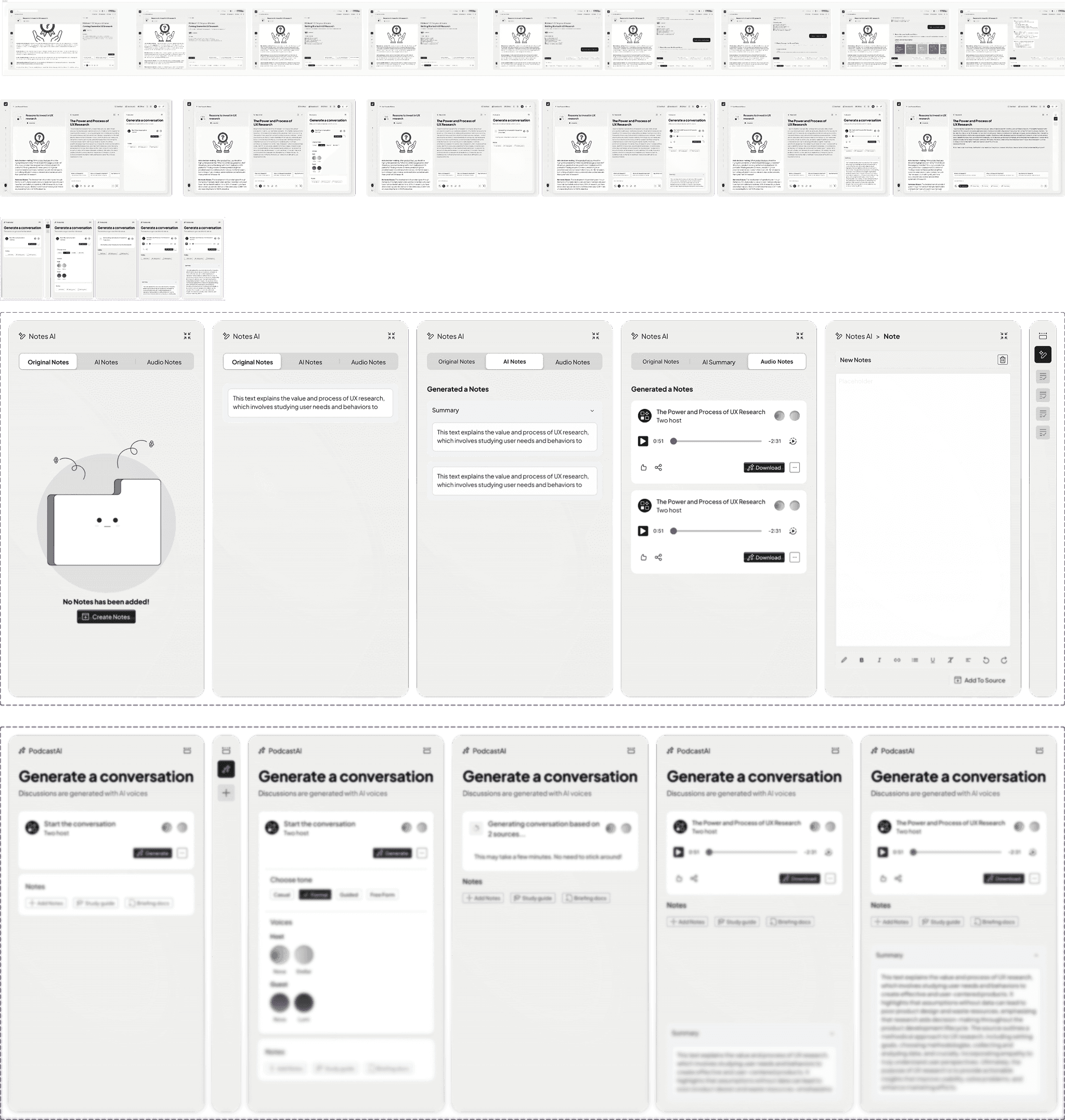
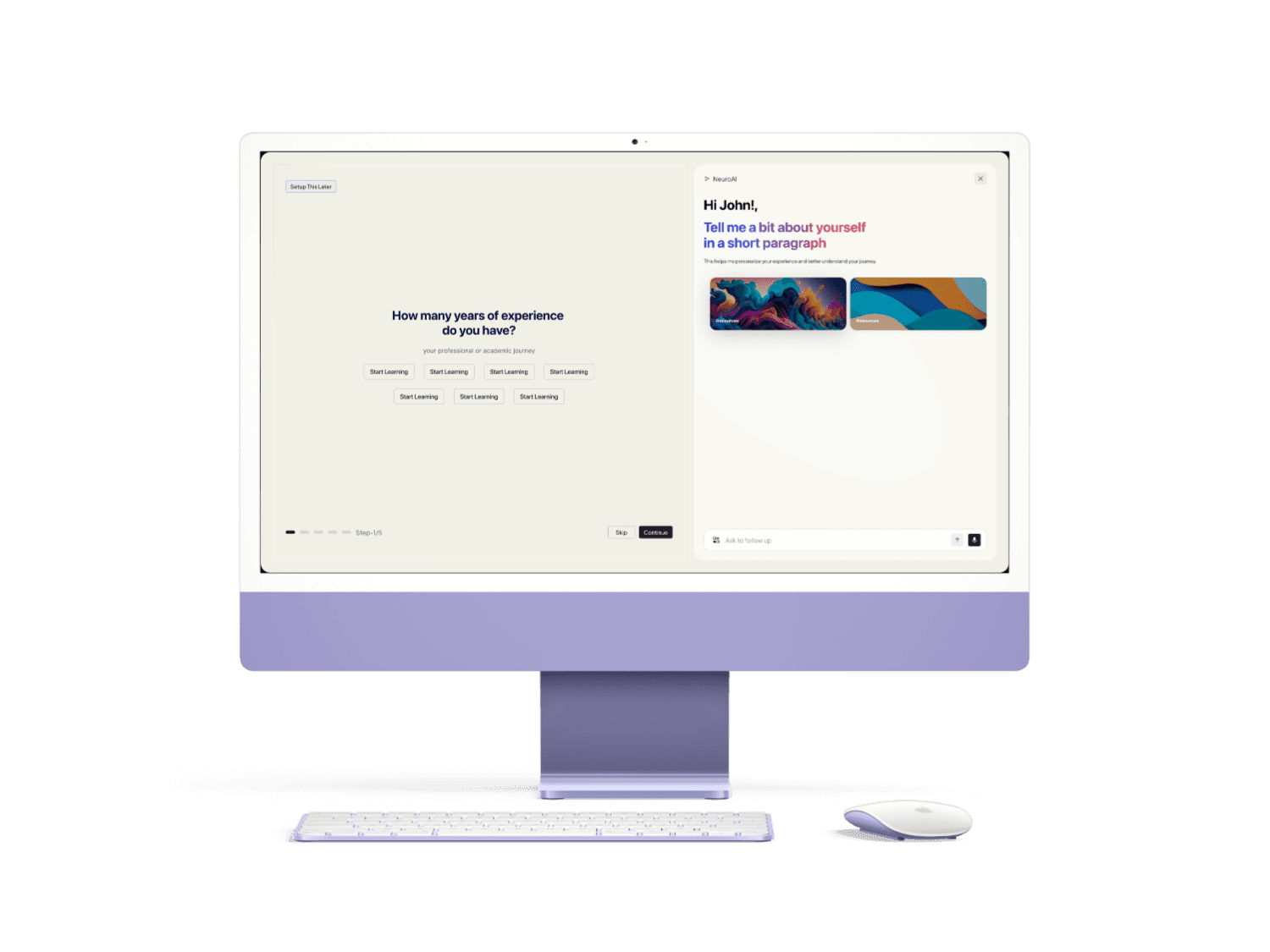
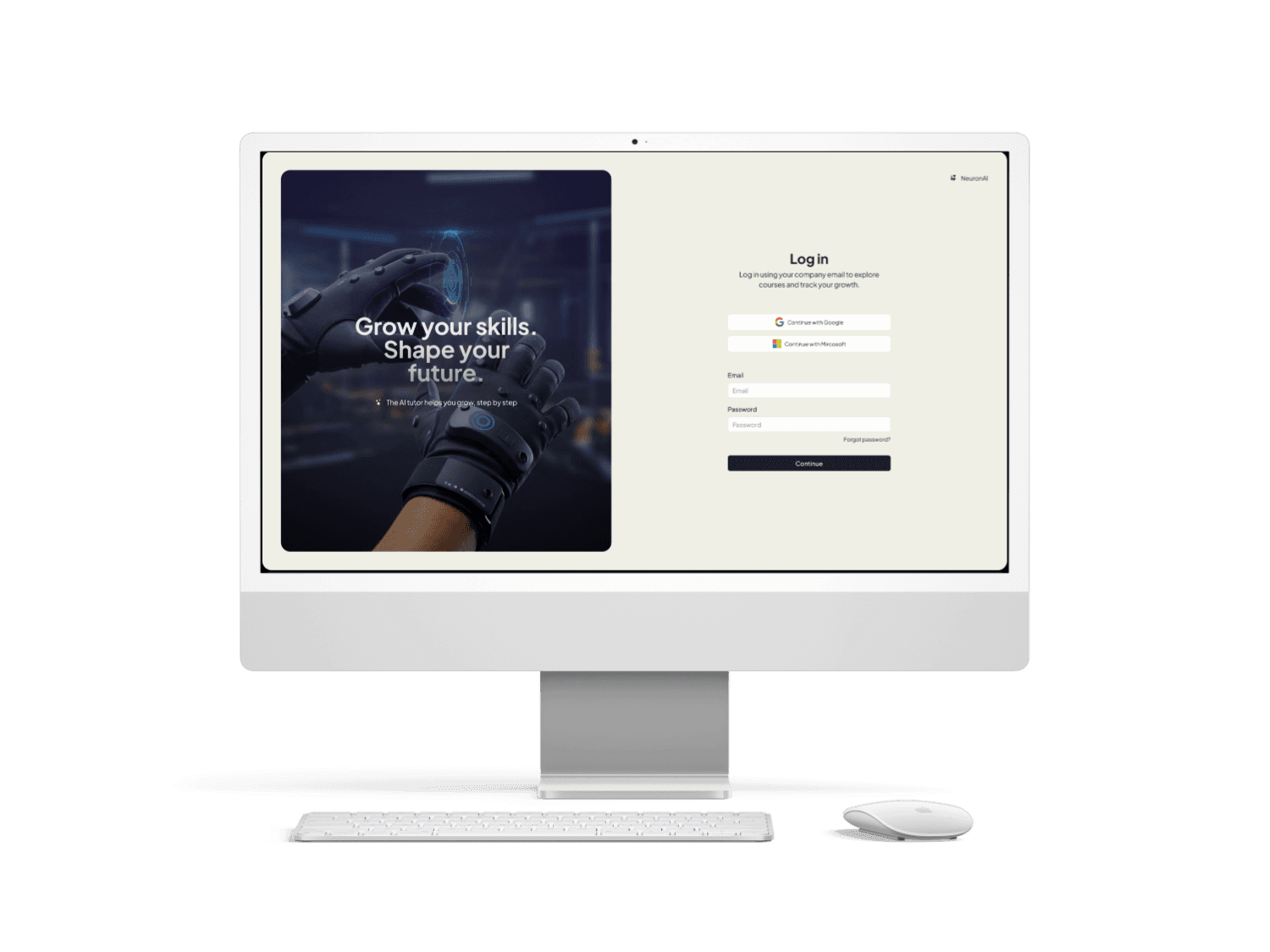
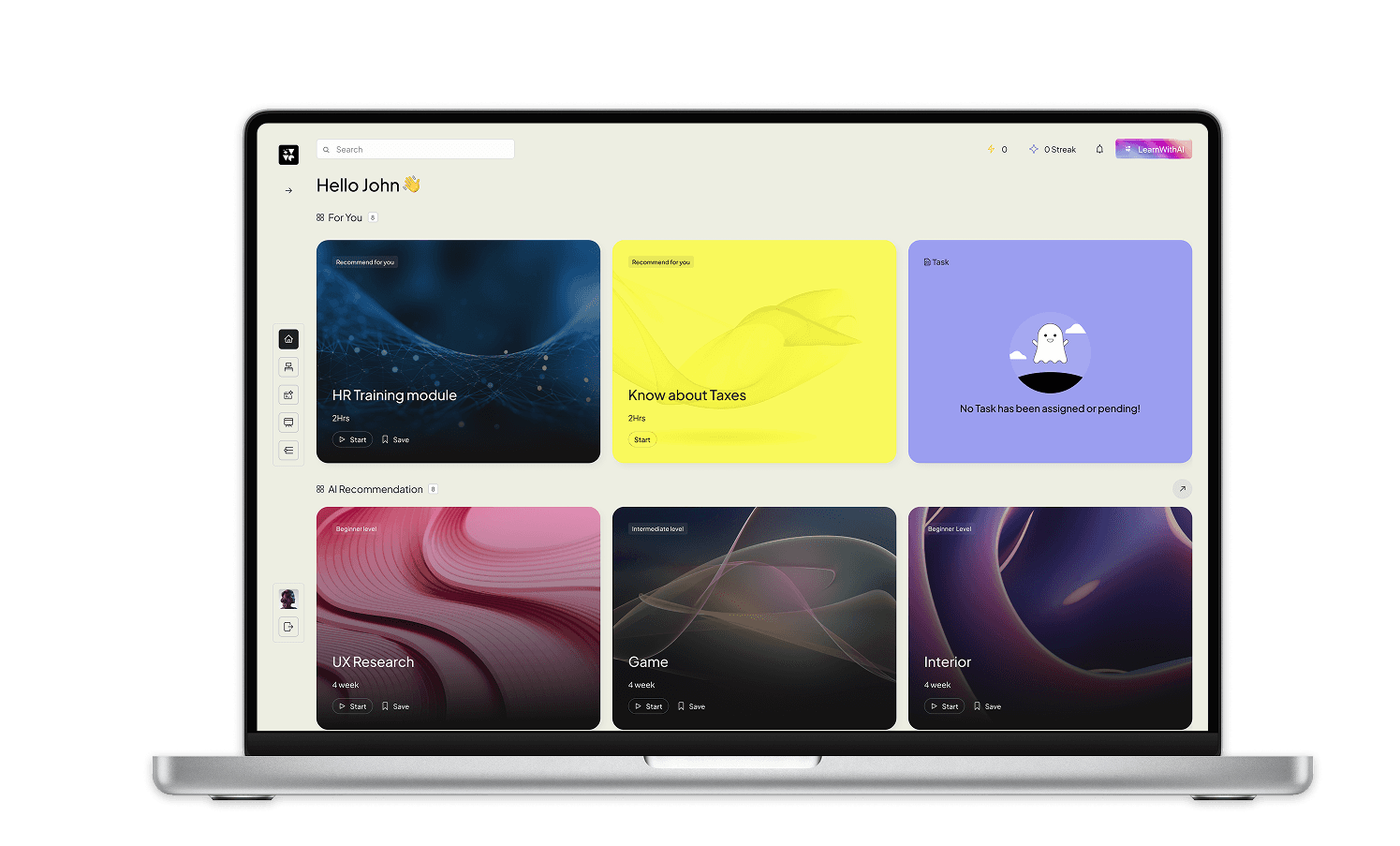
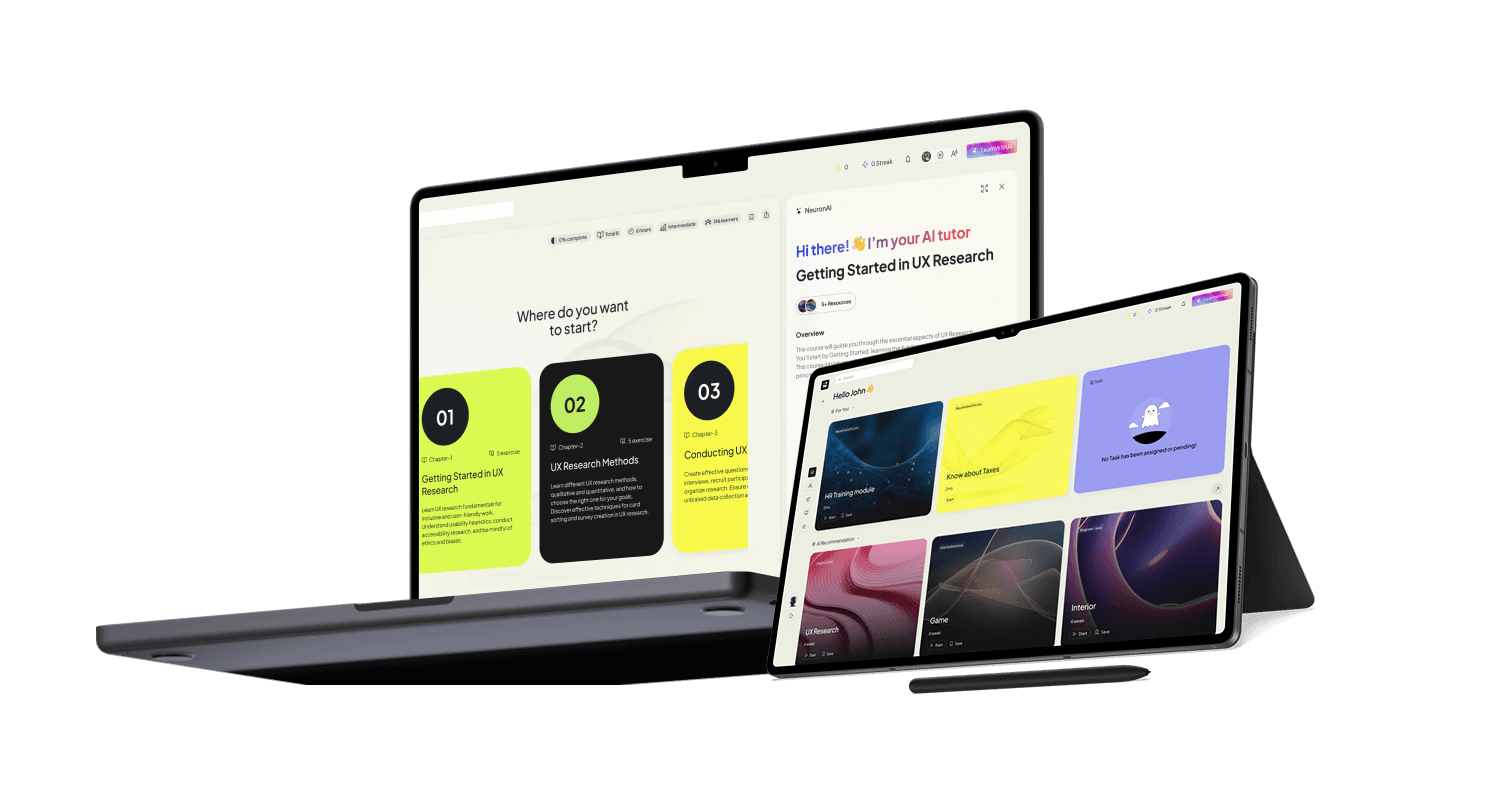
Key Screens Highlight And Componets
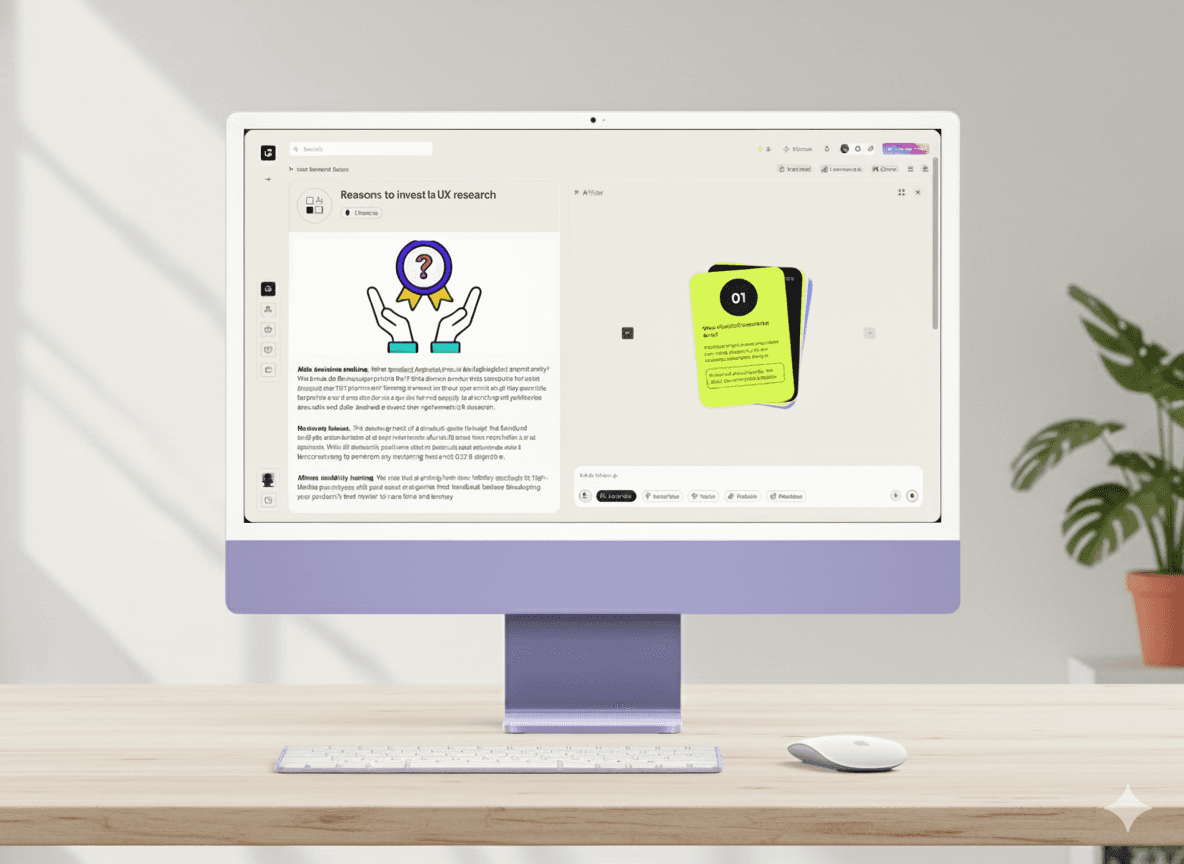
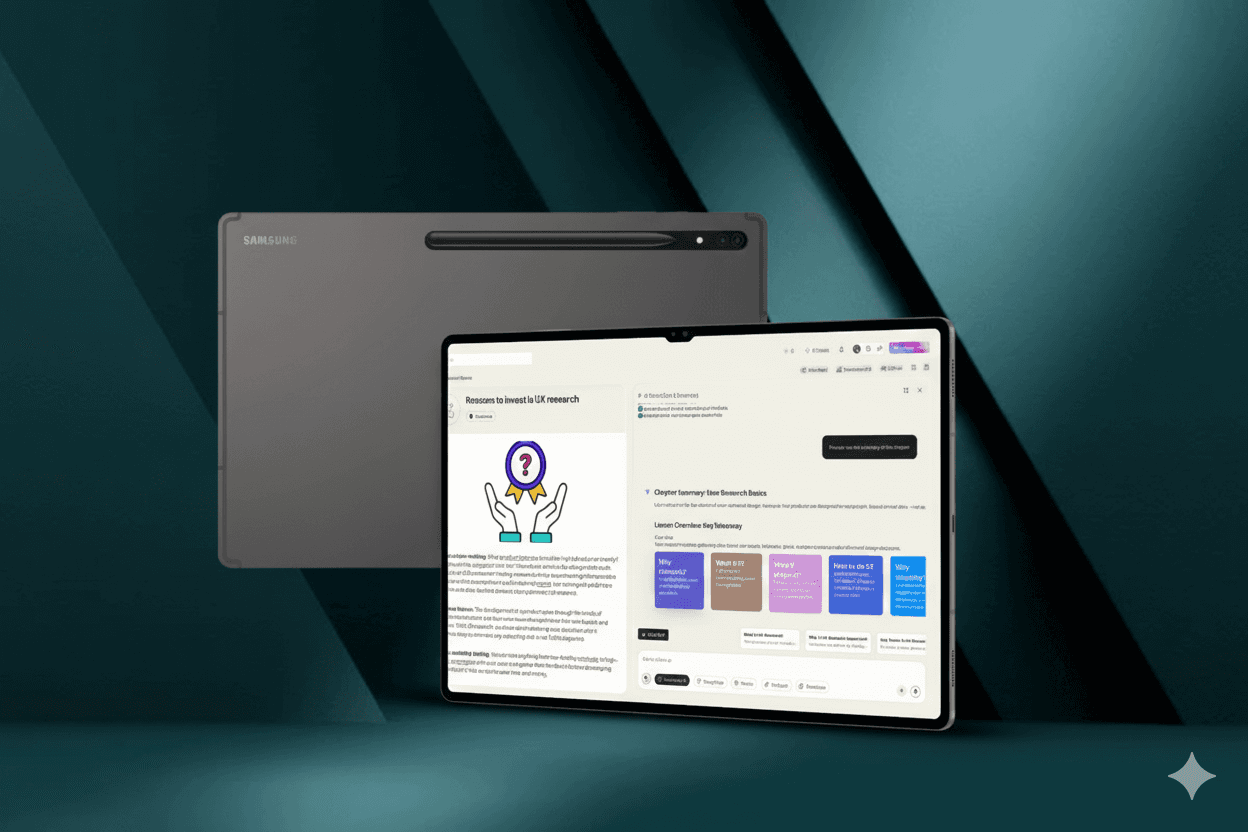
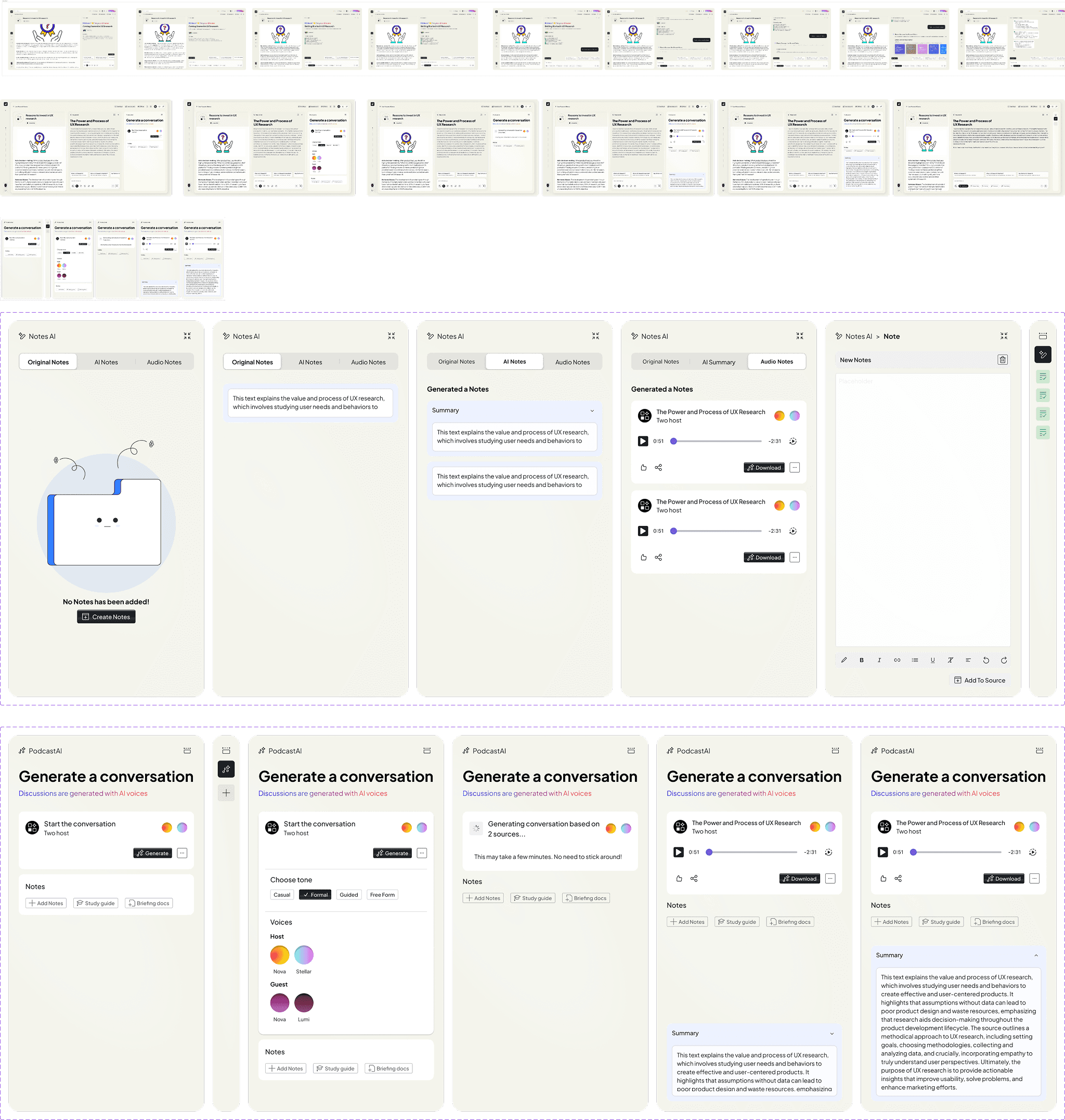
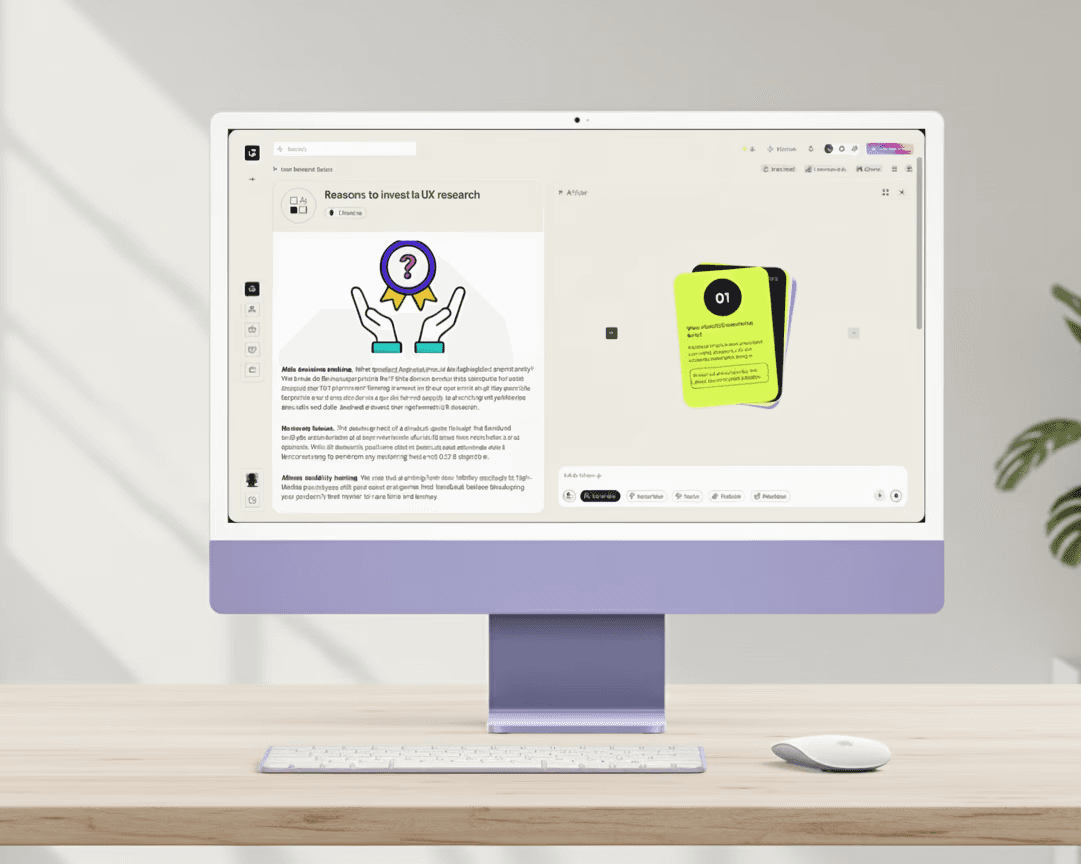
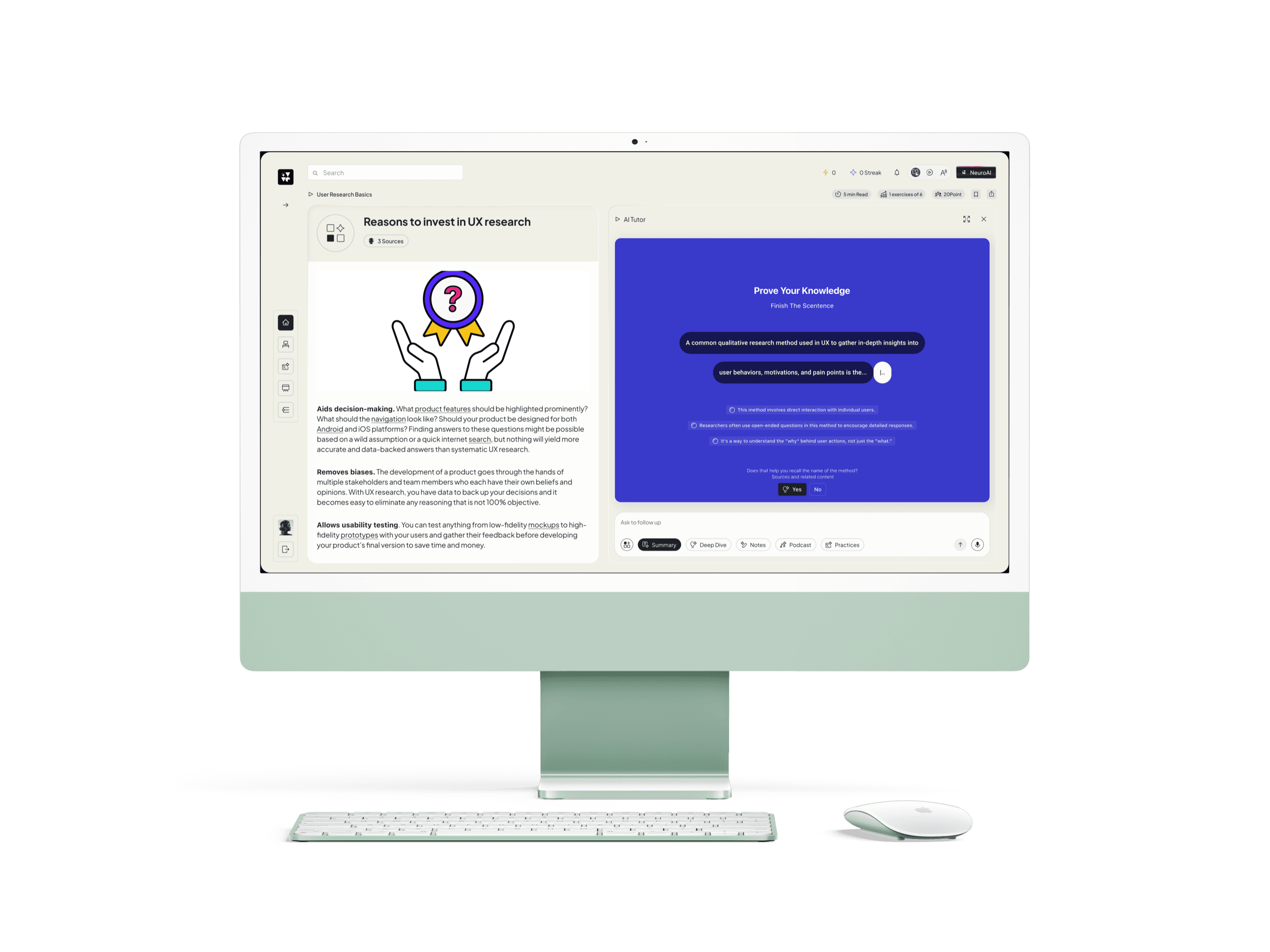
Exercises and Card Learning Design concept
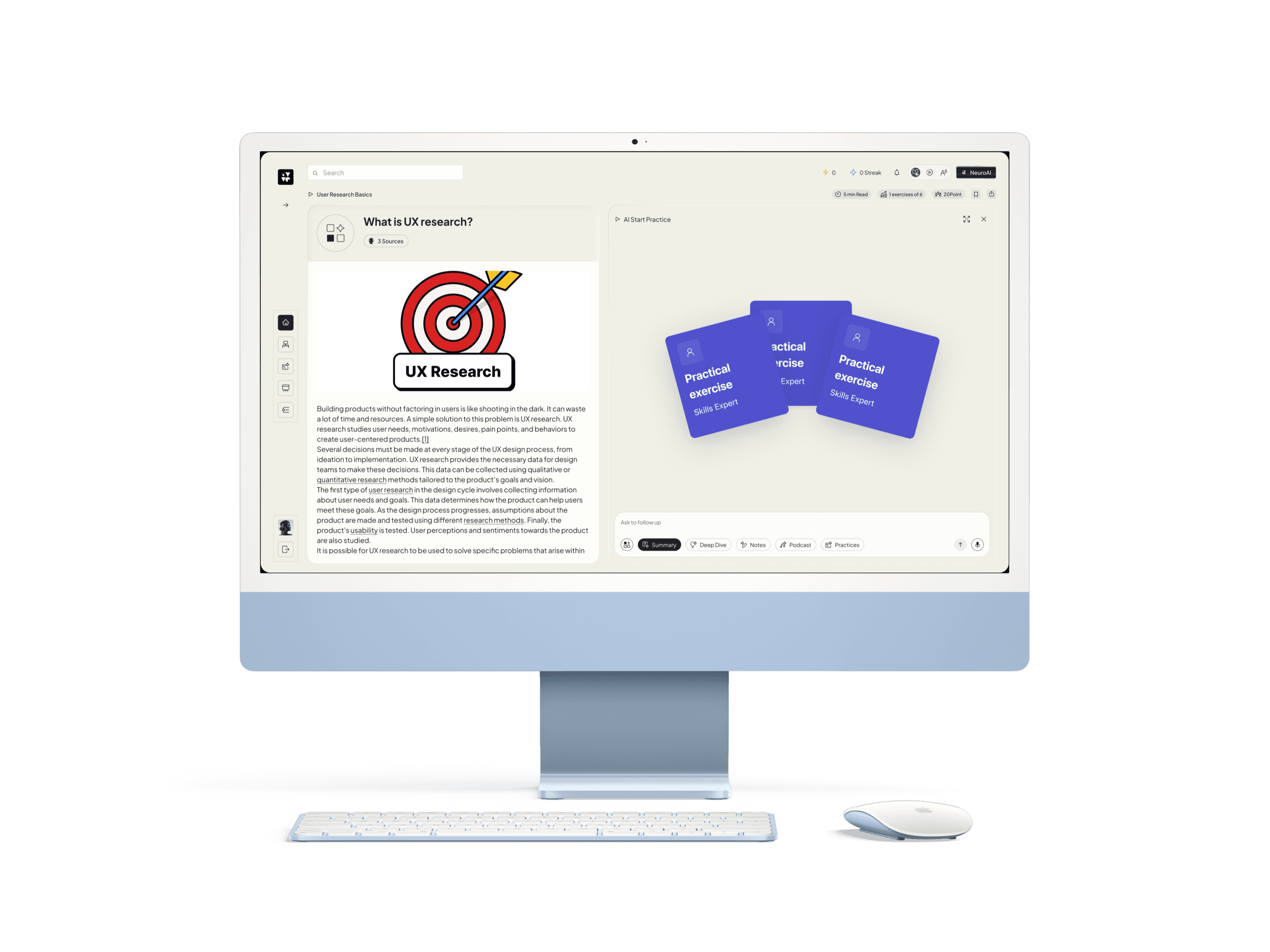
NotesAI
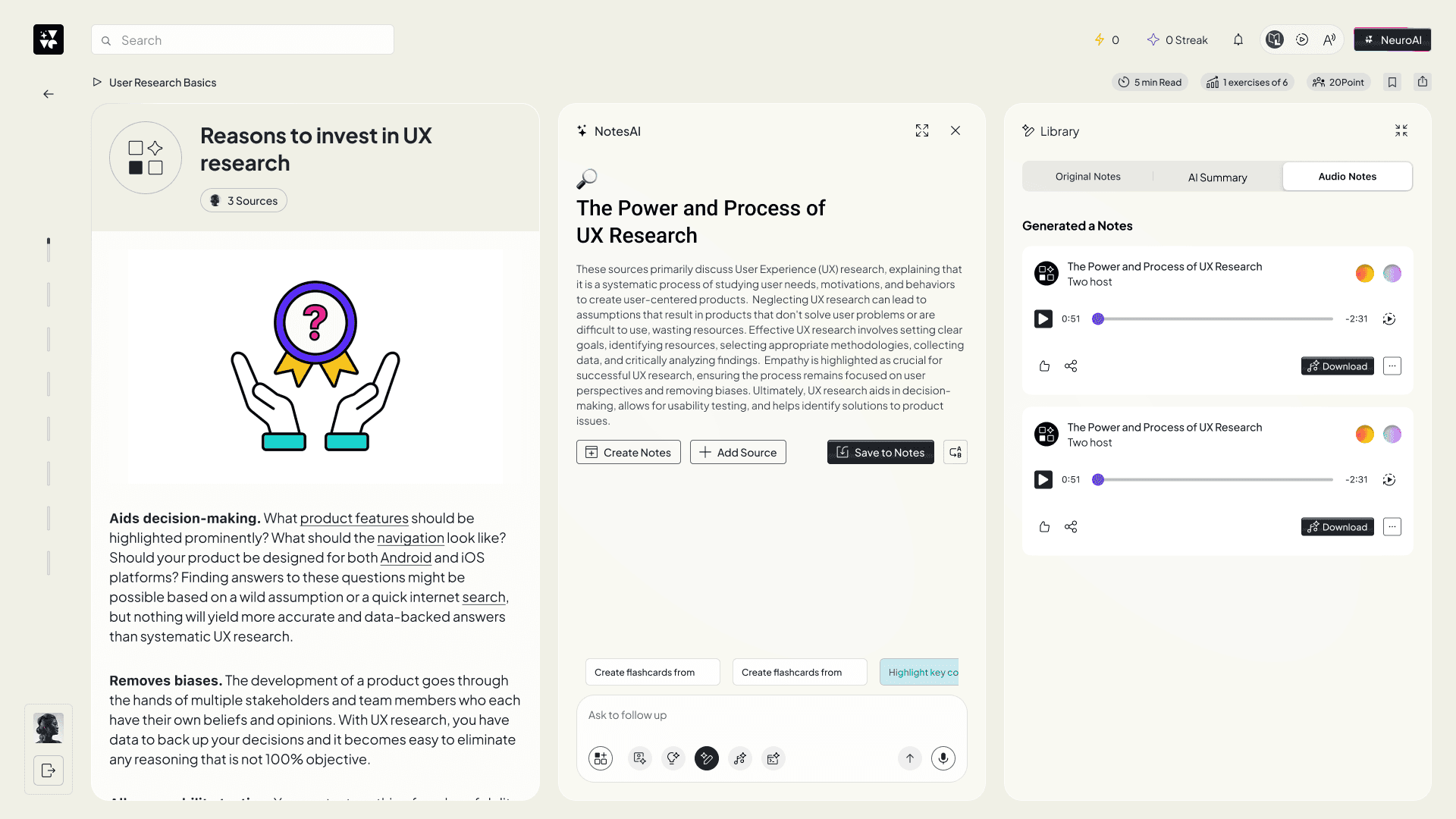
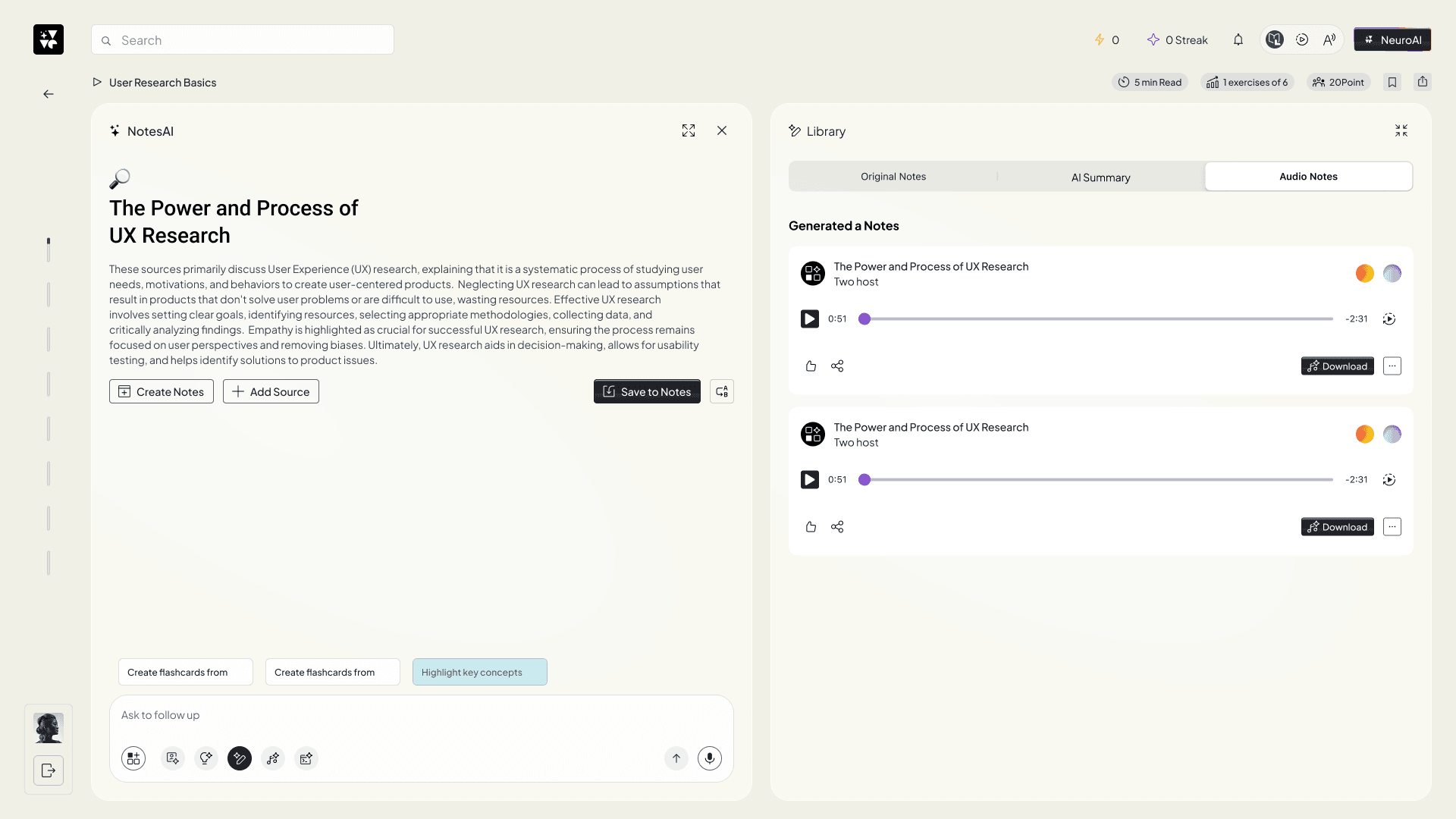
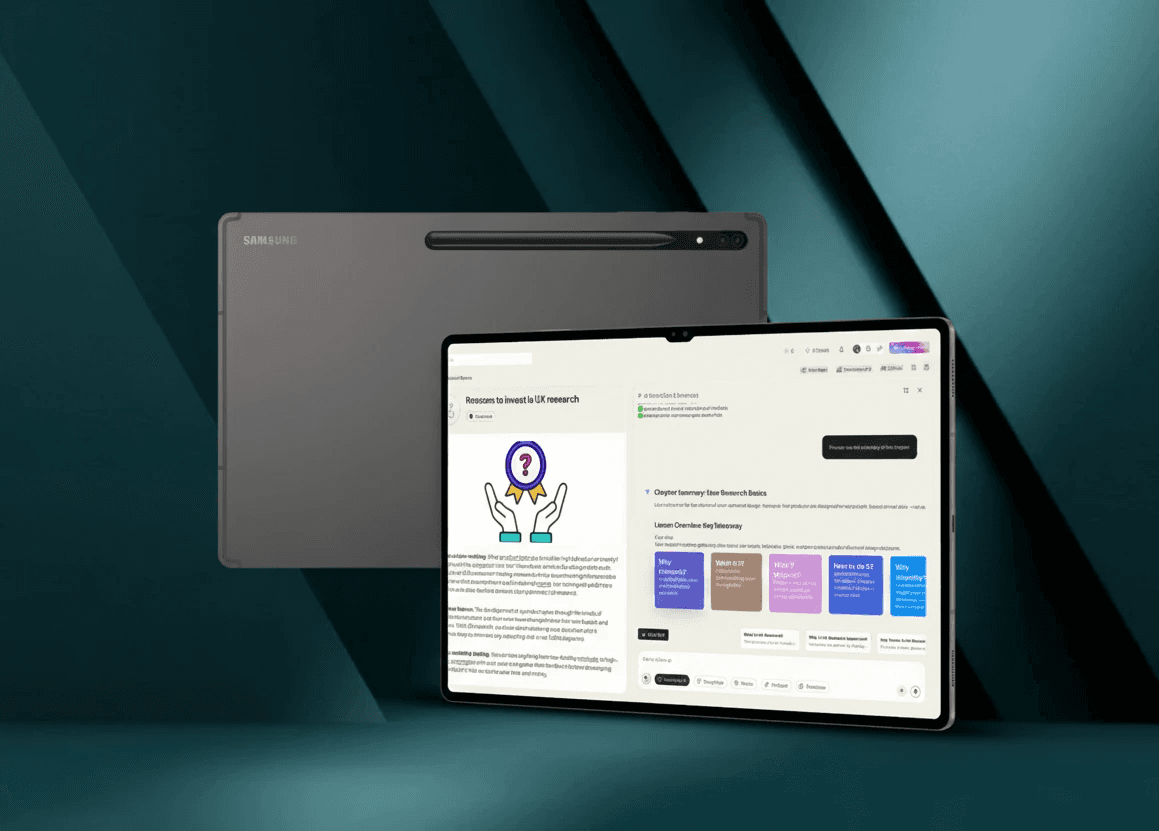
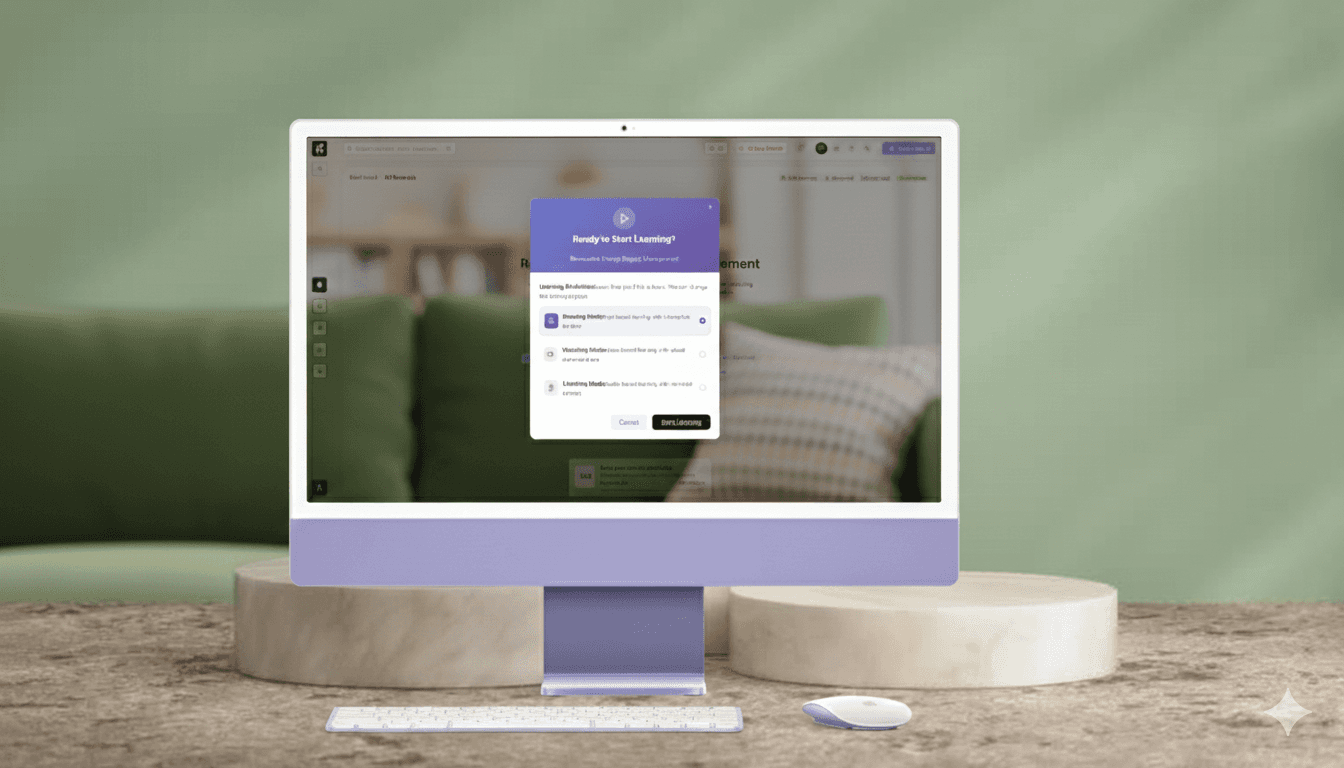
Interactive Multimodal Learning Process For Accessibility
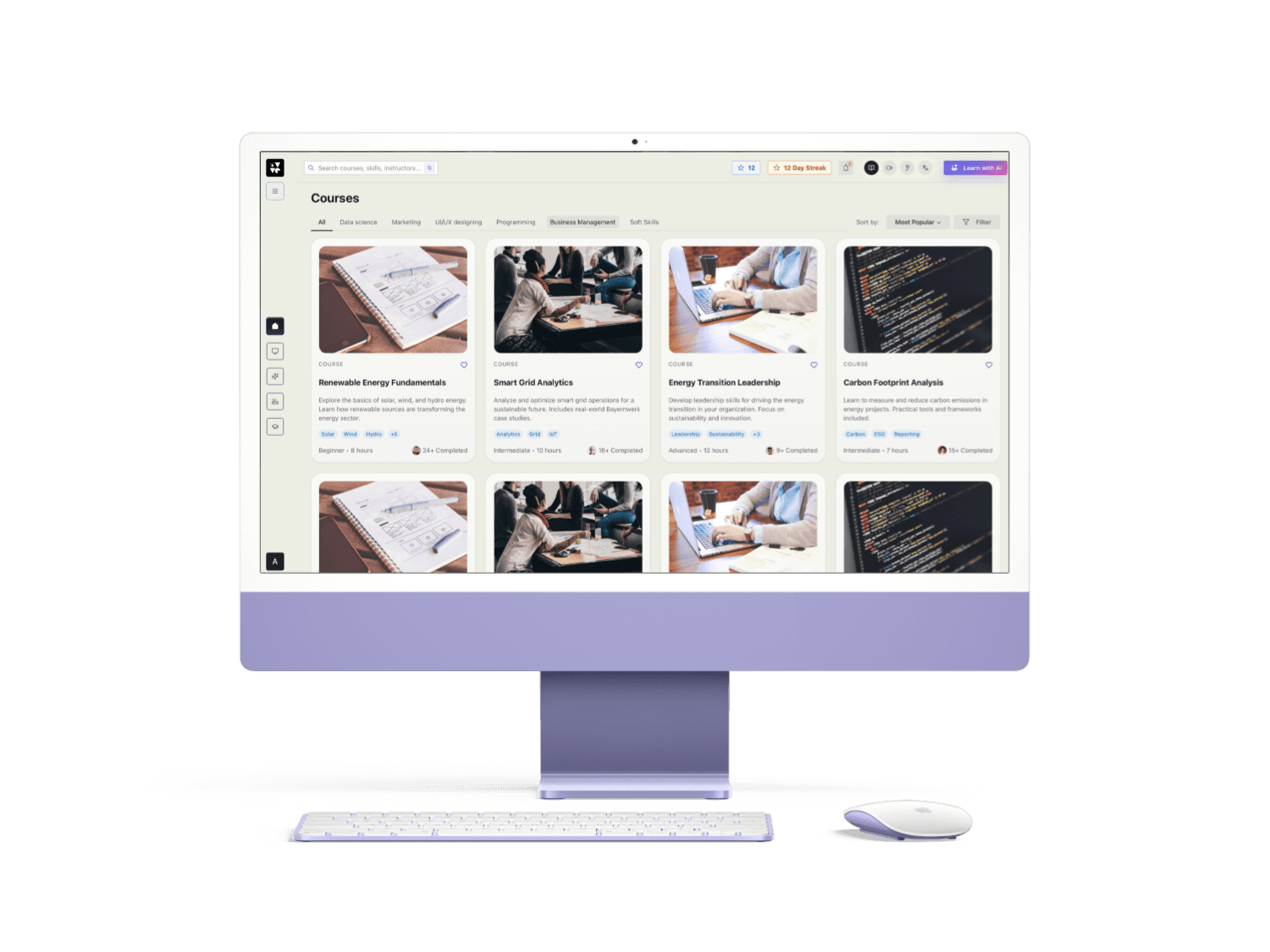
AR Practical Training ans Real-Time Use
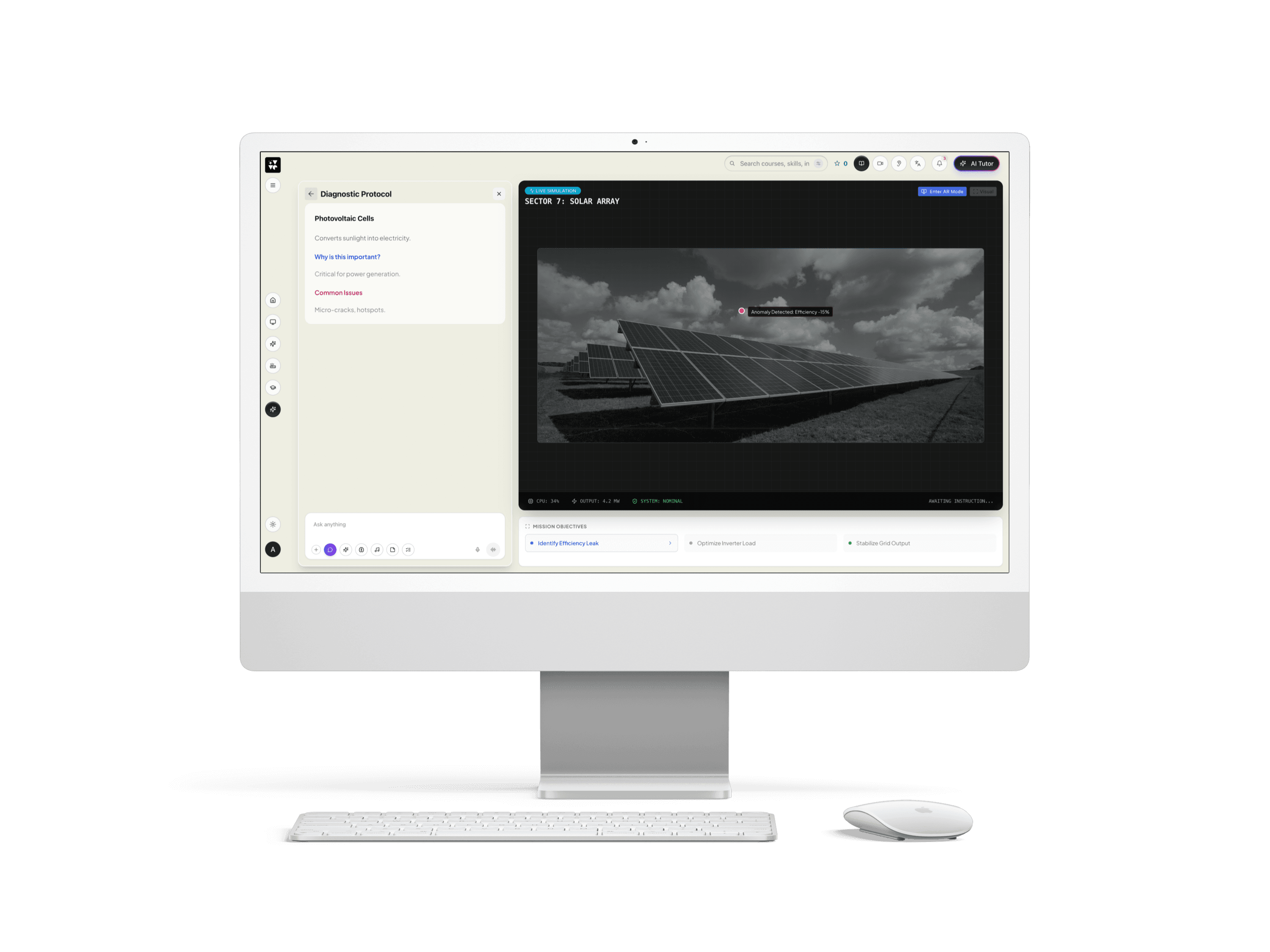
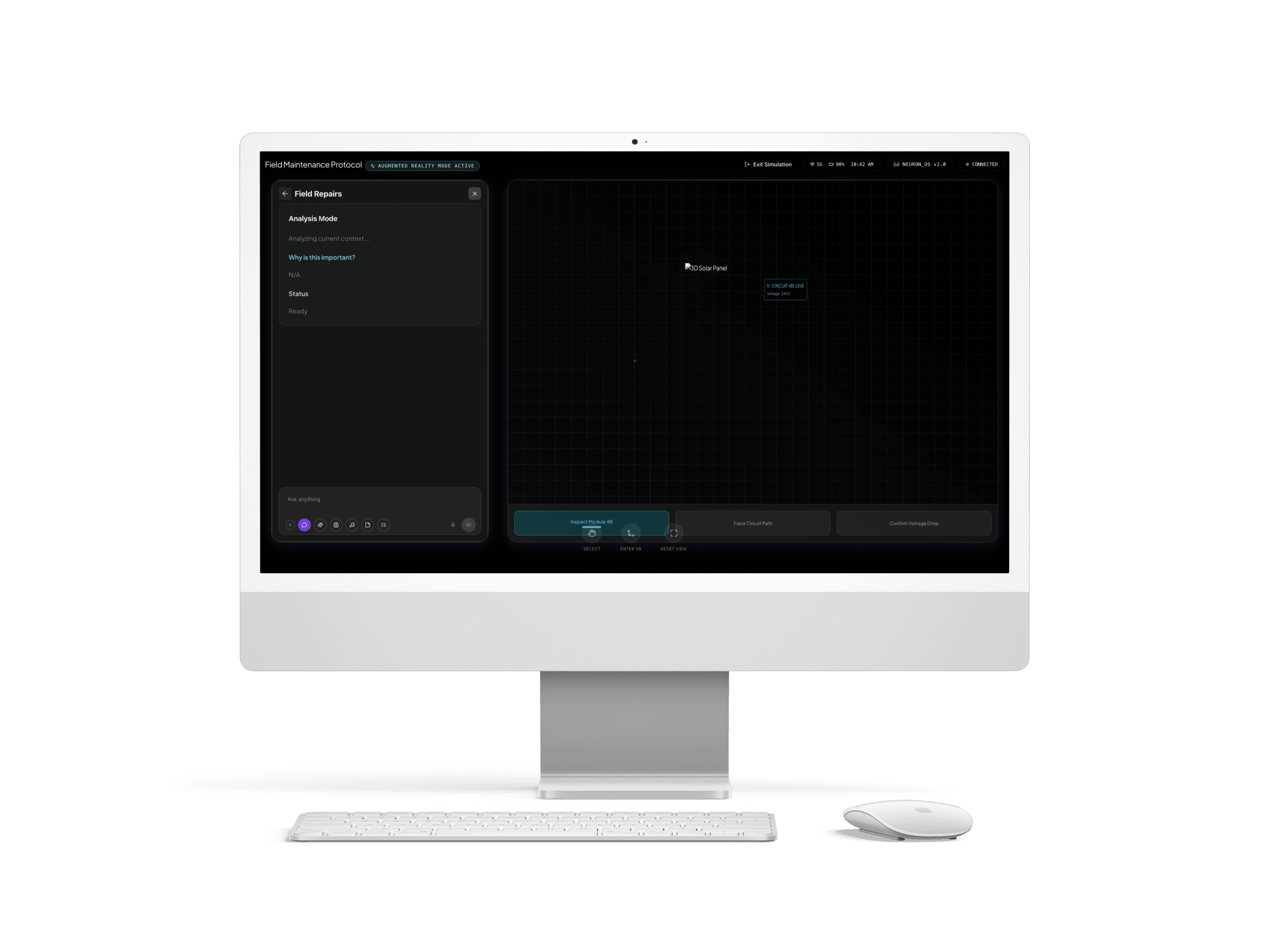
Key Achievement Highlights of
40% faster training time
Trainees learn visually instead of reading manuals.
38% faster onboarding for new employees
38% faster onboarding for new employees
60% reduction in beginner mistakes
Because they practice mistakes in simulation first.
60% decrease in drop-offs after personalizing learning paths
AI assistant used by 78% of employees
Learning and Takeaways
This project taught me that personalization isn’t about showing “smart suggestions”—it’s about respecting people’s time and attention. I learned that users cling to clarity: they want to see their progress, understand where they are, and know what comes next. Filters don’t need to be fancy; they need to be comforting and intuitive.
AI only becomes powerful when it steps in at the exact moment the learner feels stuck or curious, while AR/VR elements work best when they make abstract concepts tangible and engaging. Over this year, my perspective on design evolved—what started as a feature redesign became a deeper understanding of how people learn, how they feel, and how technology can empower them without overwhelming. AIUX and immersive AR/VR experiences aren’t just tools—they are companions in the learner’s journey.
NDA Disclaimer – Bayernwerk GenAI & AR/VR Project
The work conducted on the Bayernwerk GenAI & AR/VR project is protected under a Non-Disclosure Agreement (NDA). Specific technical details, proprietary methodologies, and sensitive operational data cannot be disclosed publicly.
To respect these restrictions, the portfolio highlights focus on UX and design processes some of the Key Designed Screen, including:
Conducting UX research (e.g., user interviews, usability testing) to gather actionable insights some are the real insights are there no fully functional research
Designing intuitive interfaces, workflows, and dashboards tailored to user needs
Exploring AI-powered interactions and AR/VR visualizations to enhance understanding and engagement
Collaborating with cross-functional teams to align user goals with business objectives